How to Sell Automation Services on Upwork Using n8n (2026)
There are 200,000+ automation-related job postings on Upwork in 2026. The bottleneck is not finding work — it's positioning so clients choose you at $75/hour over someone at $25/hour for an identical request. That gap is determined almost entirely by platform mechanics: how your profile reads in search, which jobs you bid on, how you frame proposals, and how you protect your Job Success Score. Most guides skip this entirely and tell you to "niche down and write good proposals." This one doesn't.
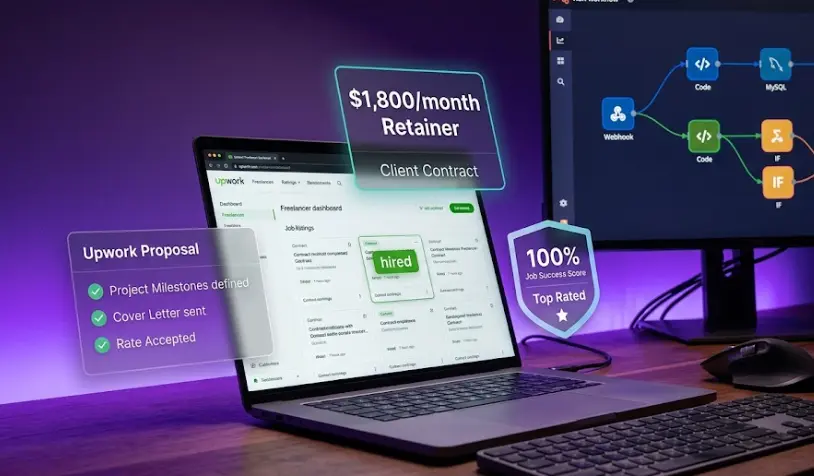
What this guide covers that others don't
In this guide
- What's actually being bought: job types and real budgets
- Profile setup that wins n8n clients
- Finding the right jobs: search, filter, and connects math
- Proposal structure that converts automation contracts
- Pricing: fixed vs hourly and avoiding scope traps
- JSS and Top Rated: the metric that controls everything
- Converting projects to retainers: timing and language
- FAQ
What's actually being bought: job types and real budgets
Before setting your rate or writing a single proposal, understand what the Upwork automation market actually buys in 2026. The categories are distinct, the budgets are predictable, and some are dramatically more lucrative than others.
| Project type | Budget range | Volume | Repeat rate |
|---|---|---|---|
| Zapier → n8n migration | $800–$3,500 | High | Low (one-off, but leads to retainers) |
| CRM automation (HubSpot, Pipedrive) | $500–$2,500 | Very high | High — clients add workflows regularly |
| Lead gen & enrichment workflows | $400–$1,800 | Very high | Medium — often becomes retainer |
| AI agent / LLM integration | $1,000–$5,000+ | Growing fast | High — complex = ongoing support |
| E-commerce ops automation | $600–$2,000 | High | High — seasonal campaigns, new flows |
| Slack / Teams notification systems | $200–$800 | Very high | Low — standalone, good for reviews |
| API integration (custom systems) | $800–$4,000 | Medium | High — custom work creates dependency |
| Reporting / Google Sheets automation | $150–$600 | Very high | Low — avoid as primary revenue |
The Zapier migration category deserves special attention. Clients posting these jobs already understand automation — they're not asking "what is n8n," they're asking "can you move my 15 Zaps to n8n so I can stop paying $600/month." They have a defined budget motivation, a concrete scope, and they've already agreed that automation solves their problem. Conversion rates on these proposals are significantly higher than "I need some automation help" jobs.
The AI agent premium is real and growing. Job postings that mention "AI agent," "LLM workflow," or "GPT integration" in their description post budgets that are 2–3× higher than equivalent non-AI automation work. An n8n AI agent that routes support tickets based on content classification pays $2,000–$4,000 for work that would pay $600–$900 as a plain routing workflow. Prioritize AI-adjacent projects if you have the skills — see the n8n AI agent tutorial for the technical foundation.
Profile setup that wins n8n clients
Your profile serves two audiences simultaneously: Upwork's search algorithm (which decides whether you appear in results) and the client who clicked your profile (who decides whether to invite you or hire from your proposal). Most freelancers optimize for neither and wonder why they're invisible.
Title formula
Upwork title is a 70-character field that functions like an H1 tag for search. The formula that works: [Outcome] + [Tool] + [Niche or Specialization]
The "Zapier → n8n Migration" title ranks for searches like "Zapier replacement," "n8n migration," and "switch from Zapier" — not just "n8n." The AI Agent title captures a different and faster-growing search cluster.
Skills to add (the full taxonomy)
Upwork allows up to 15 skills. For an n8n automation freelancer, this list maximizes search coverage:
Including Zapier and Make.com as skills is intentional — clients searching for Zapier alternatives or Make.com developers will find your profile. You can build in both tools, but n8n is your positioning anchor.
Building a portfolio without paid clients
Every new Upwork freelancer faces the same problem: clients want to see work, but you can't show work until someone pays you. Three approaches that actually work:
Build a real workflow for a hypothetical business — and document the business outcome
Don't show "n8n workflow screenshot." Show: "Problem: a plumbing company was manually copying 40 leads/day from a web form to HubSpot CRM and a Google Sheet. Solution: a webhook-triggered n8n workflow that routes new leads to both destinations in under 3 seconds, with Slack notification to the on-call technician. Time saved: 2.5 hours/day." That's a portfolio piece. The business doesn't need to be real — the technical solution does.
Do one project for a local business at cost — explicitly for a testimonial
Find a local restaurant, real estate agent, or service business and offer to build one specific automation for $0 in exchange for a written testimonial and permission to use it as a case study. Scope it tightly (2–4 hours of work maximum). The testimonial goes in your Upwork overview as a quote, the case study becomes a portfolio item. This is not "working for free" — the case study is a marketing asset worth more than the project fee.
Publish a Project Catalog listing at $150–$250 for a defined micro-automation
Project Catalog is Upwork's fixed-price service marketplace. Create a listing for something specific: "I will set up a Zapier-to-n8n migration for up to 5 workflows" or "I will connect your Typeform to HubSpot and Slack." Price at $150–$250. The first 2–3 sales (even at this rate) generate public reviews that appear on your profile — the same reviews as a regular contract. After 3 five-star reviews on catalog items, apply to higher-value hourly jobs with proof of delivery quality.
Finding the right jobs: search, filter, and connects math
Searching only for "n8n" misses roughly 80% of automation work on Upwork. Most clients describe what they want to achieve, not which tool they want you to use. The complete search term list:
n8n
Zapier alternative
Zapier migration
Make.com automation
workflow automation tool
business process automation
API integration developer
CRM automation specialist
AI workflow automation
no-code automation
Job signals: bid vs skip
Connects cost money. Spending 6 connects on a job you'll lose to 40 proposals wastes real budget. These signals — readable before you spend a connect — predict whether bidding is worth it.
Connects math
Weekly connects budget: Buy 80–120 connects/month (~$24–$36). Spend 5–8 connects/week on 3–5 quality proposals rather than 20 low-quality ones. One won contract on a $1,500 project pays for months of connects. Volume bidding on cheap jobs is the losing strategy — it fills your time with bad work and bad clients.
Build the n8n skills clients pay for on Upwork
The LearnForge AI Apps course covers n8n workflow architecture, AI agent development, and API integration — the technical depth that lets you bid on the $1,500–$5,000 projects instead of the $150 ones.
Try a Free LessonProposal structure that converts automation contracts
Most Upwork proposals for automation work fail because they describe the freelancer's skills rather than the client's problem. Clients opening proposals are asking one question: "Does this person understand what I'm actually trying to solve?" Your first sentence determines whether they read the rest.
The structure that converts n8n automation proposals consistently:
[Lead with their specific problem — mirror exact language from the job post]
You're manually copying leads from your Typeform into HubSpot and then sending a Slack message to the sales team — that's probably 15–20 minutes of someone's time per lead, and the risk of a lead slipping through during busy periods is real.
[Your specific solution — not a list of your skills]
I'll build a Typeform → HubSpot → Slack workflow in n8n that runs the moment a form is submitted: creates or updates the contact in HubSpot with all form fields mapped, sends a formatted Slack message to your #leads channel with the lead details and a direct link to the HubSpot record. Zero manual steps. Setup takes 1 day, I'll include a 15-minute Loom walkthrough so your team understands what's running.
[One proof point — specific, not generic]
I built a similar lead routing system for an e-commerce brand last month — they were handling 80 leads/day manually; after the workflow went live they haven't touched it since.
[Clear deliverable and price — no ambiguity]
Fixed price: $650 for the complete workflow, error handling, and documentation. Turnaround: 2 business days. Happy to jump on a 20-minute call first if you'd like to confirm the scope.
[One question that shows you're already thinking about their setup]
Quick question: are you on HubSpot Starter or Pro? It affects whether I use the native integration or the API — no change to the price either way, just need to know before I start.
What this proposal does that most don't: it names the client's workflow before they've explained it in detail (shows you read and understood), gives a specific outcome ("hasn't touched it since" beats "high quality work"), and ends with a question that demonstrates you're already planning the implementation — not just pitching.
What kills proposals immediately: Starting with "Hi, I'm [Name] and I have X years of experience in automation..." — this is the most common opening on Upwork and the first signal that you wrote a template. Clients can tell within 10 words. Also: bullet lists of your skills, unsolicited portfolio links in the first paragraph, and asking "can you tell me more about your project?" when the job description already has the information you need.
Follow-up strategy
If a client viewed your proposal but didn't respond within 48 hours, one follow-up is appropriate. Not "just checking in" — add a specific thought that shows you're still thinking about their problem. Example: "One thing I forgot to mention — if you're also collecting leads from other sources (web form, LinkedIn, referrals), I can route all of them through the same workflow for the same price. Just wanted you to know that option exists." This restarts the conversation without appearing desperate.
Pricing: fixed vs hourly and avoiding scope traps
The fixed vs hourly decision is one of the most consequential choices in your Upwork career. Getting it wrong in either direction costs money — and sometimes the project.
The scope conversation that protects your margin
Before accepting any fixed-price contract, get written confirmation of four things in Upwork messages (not just a call — written, so it's in the contract record):
Before I send the contract, let me confirm the scope so we're aligned:
1. Inputs: The workflow will receive data from [X] via [webhook / API / form].
2. Outputs: It will write to [Y] and send a notification to [Z].
3. Error handling: On failure, it will [send Slack alert / retry 3 times / log to Sheet].
4. Revisions: The price includes 2 rounds of revisions based on this scope. Changes to the source/destination systems or data structure after we start will be quoted separately.
Does this match what you're expecting?
This message does two things: it confirms the client understood the scope (preventing "but I thought you'd also handle X"), and it creates a written record if there's a dispute later. Clients who object to confirming scope in writing before a fixed-price contract are showing you exactly how the project will go.
The rate floor: Set your Upwork hourly rate at no less than $55/hour, regardless of experience level. A rate below $45/hour attracts a specific client profile — one that expects unlimited revisions, treats your rate as proof you're inexperienced, and is proportionally more likely to leave a neutral or negative review. Higher rates filter the client pool. The $55/hour floor is not about your skill level — it's about the clients it attracts.
JSS and Top Rated: the metric that controls everything
Job Success Score is the single most important metric on your Upwork profile — more than reviews, more than earnings, more than any badge. A JSS below 80% pushes your profile out of search results entirely. A JSS of 90%+ unlocks Top Rated status, which provides a highly visible badge, reduces proposal competition, and lets clients find you without you bidding on anything.
Protecting JSS from the start
Never take a project you can't complete
An unfinished contract hurts your JSS more than not bidding. If you realize mid-project that the scope is outside your capability, have the conversation early — offer a partial refund and close the contract by mutual agreement. This generates a much better JSS outcome than disappearing or delivering bad work.
Communicate before the client asks
The private feedback score is heavily influenced by whether the client felt informed. If you hit a technical issue that will delay delivery by a day, message the client first — before they notice the deadline has passed. "I ran into an unexpected issue with the Zapier API authentication and need 24 more hours. I'll send a Loom explaining what I found." This turns a potential complaint into a demonstration of professionalism.
Always close with a review request
When delivering the final workflow, include: "If the automation is working as expected and you're happy with the result, I'd really appreciate a review — it helps my profile a lot. I'll leave you one as well." Most happy clients don't leave reviews unprompted. This one sentence doubles your review rate. Contracts without reviews are neutral-to-negative for JSS.
The JSS trap: cheap projects and bad-fit clients
This is the most dangerous mistake new automation freelancers make. Taking a $75 project from a client with no history, vague requirements, and a mismatched budget creates a high probability of a bad outcome — and that bad outcome can tank a JSS that took months to build. A single JSS hit from a $75 project wipes out the reviews from 3 good $600 projects. The math makes cheap projects actively expensive. See the n8n freelancing guide for more on client screening.
Converting projects to retainers: timing and language
The highest-leverage move in your Upwork career is not finding more clients — it's keeping the ones you already have. Three retainer clients at $600/month generates $1,800 MRR with roughly 15–20 hours of predictable work. That's the foundation that makes Upwork profitable as a business, not just a gig. The economics are covered in detail in the n8n automation agency guide.
The conversion moment
Timing the retainer offer matters more than the pitch. The right moment: immediately after the client confirms the automation is working as expected — when their trust is highest and the memory of the manual process is freshest. Not at the end of the project conversation. Not a week later. At the "this is exactly what I needed" moment.
Really glad it's working well. One thing I want to flag: automations like this need monitoring over time — APIs change versions, services update their authentication, webhook endpoints sometimes stop working silently. I've seen "set it and forget it" workflows break without anyone noticing for weeks.
I offer a maintenance retainer for clients after a project like this: $500/month covers monitoring your active workflows, fixing anything that breaks within 24 hours, and one new workflow per month (same complexity as this one). Most clients use the monthly workflow slot to extend what we built — adding another data source, another notification channel, or a reporting layer.
No commitment beyond month-to-month — you can pause any time. Want me to set up the retainer contract on Upwork so you can decide if you'd like to activate it?
What this message does: it frames monitoring as risk management (true), not as upselling. It gives a specific deliverable for the monthly price. It offers month-to-month to reduce commitment friction. And it sets up the contract before asking for a decision — the offer to "set it up" moves the client's mental model from "should I say yes?" to "do I want to activate this?" which is a subtly easier question.
Retainer math: At $500/month, a retainer client represents $6,000/year. A typical maintenance retainer requires 8–12 hours/month (monitoring, a couple of bug fixes, one new workflow). Effective hourly rate: $42–$63/hour — below your project rate, but completely predictable. Three retainer clients at this level = $18,000/year of guaranteed baseline income before you open Upwork to bid on new work.
Build the full picture
Ready to build n8n skills clients pay for?
The LearnForge AI Apps course teaches n8n automation, AI agent workflows, and the technical depth that lets you win the $1,500–$5,000 Upwork contracts — not compete on price for the $150 ones.
Start Learning for Free