n8n vs Python for Automation: When to Use Which
This question comes up constantly — usually from someone who's either learned Python and is wondering if n8n makes it obsolete, or started with n8n and hit the wall of things it can't easily do. The honest answer is that they solve overlapping but genuinely different problems, and understanding the boundary between them saves you from building the wrong thing either way.
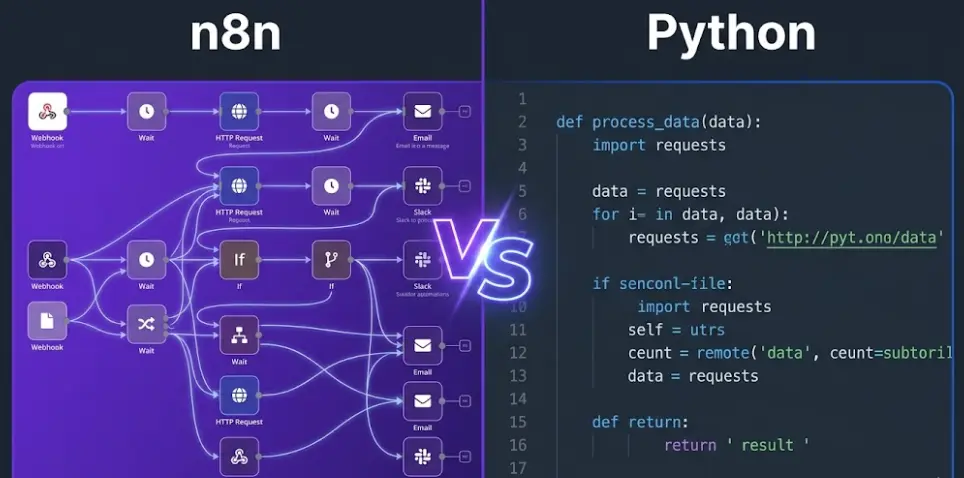
Short answer
Use it when the task is connecting services, routing data between apps, reacting to events (webhooks, schedules, triggers), or building AI agent workflows that call external tools. No deployment overhead, visual debugging, non-technical teammates can read and edit the workflow.
Use it when the task requires complex data transformations, statistical processing, machine learning, browser automation with Playwright/Selenium, working with files at scale, or building automation that lives inside a larger software system. Code is more testable, more composable, and more expressive for logic-heavy work.
Most teams that automate seriously end up using both — not as competitors but as layers. Python handles the heavy processing; n8n handles the orchestration, scheduling, and event handling that kicks it off. n8n even has a Code node that runs Python directly, so "which tool" often becomes "which tool for this specific node."
In this article
What n8n and Python Actually Do
Comparing n8n and Python is a little like comparing a crane to a Swiss Army knife. They share some overlap, but they were built from different starting assumptions about what automation is.
n8n is a workflow orchestration tool. Its core job is connecting things: this event happened in system A, now do these operations in systems B, C, and D. It's built around the idea that most automation is fundamentally about moving and transforming data between services — and that this shouldn't require code to set up. The visual canvas, the 400+ built-in nodes for third-party services, the webhook triggers, the scheduling — all of it is designed to make the "connect and route" layer as fast to build as possible.
Python is a general-purpose programming language. It doesn't have a built-in concept of "trigger" or "workflow" or "integration." What it has is the full expressive power of a Turing-complete language: loops, functions, classes, error handling, a package ecosystem with over 400,000 libraries on PyPI, and the ability to build anything from a three-line script to a distributed data pipeline. When you write a Python automation, you're writing code — which means the full power of programming is available, and the full responsibility for structure, error handling, deployment, and maintenance is yours too.
A useful mental model: n8n is optimized for the between — the glue layer that connects your tools and reacts to events. Python is optimized for the within — the logic inside a single processing step that's too complex to express in a visual node. The two tools naturally complement each other, which is why n8n includes a Code node that runs Python directly inside workflows.
Where n8n Clearly Beats a Python Script
There's a category of automation work where reaching for Python first is genuinely counterproductive — not because Python can't do it, but because n8n does it in a tenth of the time with a fraction of the ongoing maintenance.
Connecting two or more SaaS services based on an event
New lead fills out a Typeform → create contact in HubSpot → add to Mailchimp sequence → notify sales team in Slack. This is the automation n8n was built for. In Python, this is three or four API integrations, OAuth flows, error handling, a deployment somewhere that stays running, and ongoing maintenance when any of the APIs change. In n8n, it's dragging in four nodes, mapping fields, and it runs. The Python version isn't technically hard, but it's probably 4-6 hours of work to do properly. The n8n version is 20-30 minutes.
Webhook-driven event handling
Someone pays in Stripe → update their status in your database → send a welcome email → add to a customer segment. This requires a webhook listener that's always running, processes the payload, and calls multiple downstream services. In Python, you're deploying a Flask or FastAPI app to handle the webhook endpoint, which means a server, WSGI config, SSL, monitoring, and all the surrounding infrastructure just to receive a POST request and route it somewhere. n8n gives you a webhook URL in seconds, with built-in retry logic if downstream services are temporarily unavailable. For webhook-to-multi-service routing, n8n eliminates an entire deployment problem.
Scheduled automations that non-technical people need to edit
A marketing team wants to pull last week's campaign stats from three platforms every Monday at 8am, combine them into a spreadsheet, and email a summary to the leadership team. If this lives in a Python script on a server, changing the recipients or adding a fourth platform requires a developer. If it lives in n8n, a non-technical team member can open the workflow, update the email list, add a Google Ads node, and save. The cron scheduling, the multi-step logic, the error notifications if something fails — all visible in the canvas without reading code.
AI agent workflows with multiple tool calls
An AI agent that reads incoming support tickets, searches a vector database for similar past issues, checks order status via an API if needed, and drafts a reply. Building this in pure Python is absolutely possible — but it means wiring together LangChain or similar, managing async tool calls, handling memory persistence, and building a runner that triggers on new ticket events. In n8n, the AI Agent node handles the ReAct loop natively, the vector store connection is a built-in node, the trigger on new Zendesk ticket is another node, and the whole thing is debuggable in the execution history panel. The equivalent Python code is a legitimate engineering project; the n8n version is a workflow.
Learn n8n and Python Automation in One Course
The LearnForge AI Apps course teaches you to build production workflows with n8n — and shows you exactly when and how to drop into Python code inside them. Module 0 is completely free.
Try Free Lesson →Where Python Is the Right Tool
n8n's expression syntax is powerful for transforming data at the node level, and the Code node gives you a Python escape hatch for custom logic. But there's a category of work where trying to do it in n8n produces awkward, fragile workflows — and where Python's first-class status as a programming language makes it the cleaner choice.
Heavy data transformation and processing
You have a 50,000-row CSV from an e-commerce platform that needs cleaning, deduplication, currency conversion based on exchange rates, category normalization against a reference table, and output as a different schema. This is a pandas job. Yes, n8n can read a CSV and process rows, but expressing complex multi-column transformations in n8n's expression syntax or building a 20-node pipeline to clean data is the wrong abstraction. Three functions in pandas — merge(), groupby(), apply() — replace what would be a labyrinthine n8n workflow. Code is the right medium for logic this dense.
Web scraping dynamic pages
Most web scraping targets that matter — product prices, job listings, competitor content — render in JavaScript and require a real browser session to get the actual DOM. Python with Playwright or Selenium is the standard tool for this: launch a browser, navigate, wait for elements, handle pagination, extract structured data, handle CAPTCHAs or login flows. n8n has an HTTP Request node that handles static pages well, but for anything that requires browser automation you need Python (or Node) running Playwright. n8n can trigger the Python script and process its output, but the scraping itself belongs in code.
Machine learning and statistical processing
Training a model on customer churn data, running inference against a scikit-learn classifier, using NLTK for text processing, or generating embeddings with sentence-transformers — none of these have n8n equivalents. Python's ML ecosystem (scikit-learn, PyTorch, Hugging Face, pandas, numpy) is one of the primary reasons Python dominates data science and AI work. n8n can call an ML model that's already deployed as an API endpoint, but the model development, training pipeline, and batch inference jobs are Python territory.
Automation embedded inside a software application
If the automation you're building is a component of a larger application — say, a background job inside a Django or FastAPI app, or a Celery task triggered by user actions — it belongs in Python, not in a separate n8n workflow. Automation that's architecturally part of your application should share its codebase, its deployment process, its test suite, and its logging infrastructure. Reaching out to an external n8n instance for logic that could just be a function in your codebase adds a network dependency and an operational complexity that serves no purpose.
File processing at scale — PDFs, images, documents
Extracting text from 500 PDFs with pdfplumber, resizing and watermarking images with Pillow, parsing Word documents with python-docx, converting Excel files with openpyxl — these all require Python libraries that have no n8n equivalents. n8n can move files between storage systems, but any processing of file contents that goes beyond simple read/write needs the Python ecosystem. Even n8n's own recommended approach for complex file processing is to use the Execute Command node to run a Python script, which is the tool acknowledging its own limits honestly.
The Grey Zone — and How to Decide
There's a large middle ground where both tools can handle the work, and where the right choice is less about capability and more about context. These are the situations where I've seen teams make bad calls in both directions.
Decision framework for ambiguous cases
| Factor | Choose n8n | Choose Python |
|---|---|---|
| Who will maintain it? | Non-technical or mixed team | Developers only |
| Trigger type | Webhook, schedule, SaaS event | CLI call, app function, batch job |
| Data complexity | Field mapping, basic transforms | Complex logic, ML, file parsing |
| How many services involved? | 2+ external services | 1 service or internal only |
| Need for testing/versioning? | Less critical, quick iteration | Required — unit tests, git CI |
| Is this part of an existing app? | No — standalone automation | Yes — embedded in codebase |
| Speed to first working version | Need it today | Have time to build it properly |
The "speed to first working version" factor is more important than it sounds. A Python script for a new automation needs a project structure, a virtual environment, dependencies pinned to a requirements file, deployment to somewhere that runs it, monitoring so you know if it fails silently, and documentation so the next person understands what it does. An n8n workflow for the same automation is running in the time it takes to drag nodes and configure credentials. If the automation is uncertain — you're not sure whether it's worth building at all, or whether the business process it serves will change — n8n's fast iteration cycle is valuable independent of which tool is "technically better."
The flip side: I've seen teams build genuinely complex data processing logic as enormous n8n workflows with fifty nodes, custom JavaScript expressions strung across them, and no way to write a unit test for any of it. That's the wrong call. When you find yourself wishing you could write a function in your n8n workflow and call it from multiple places, or when debugging means tracing through thirty nodes to find where a value got mangled — that's Python territory, and the workflow should be a thin orchestration layer calling a Python service, not the processing logic itself.
Using n8n and Python Together
The most effective automation stacks at the teams I've worked with don't pick one or the other — they use n8n as the orchestration layer and Python for the heavy processing, with the two communicating via HTTP. The pattern looks like this: n8n handles event detection, scheduling, and routing between services; when it hits a step that needs real processing, it calls a lightweight Python microservice (Flask or FastAPI, a few endpoints) that does the computation and returns a result; n8n picks up the result and routes it forward.
Architecture pattern: n8n + Python microservice
n8n also supports Python directly via its Code node, which is useful for smaller custom transformations that don't warrant a whole microservice. In the cloud version, the Code node runs sandboxed Python without access to external packages. Self-hosted n8n can be configured to allow package imports, making the Code node substantially more powerful — you can use requests, parse libraries, or lightweight data utilities directly inside the node without building a separate service.
# Example: n8n Code node (Python) — cleaning and normalizing incoming data
items = []
for item in _input.all():
    row = item.json
    items.append({
        "email":    row["email"].strip().lower(),
        "name":     row.get("full_name", "").title(),
        "revenue":  round(float(row["amount"]) * 1.13, 2),  # CAD tax
        "segment":  "high" if float(row["amount"]) > 500 else "standard"
    })
return items
One pattern to avoid: using n8n's Execute Command node to run Python scripts stored as files on the n8n server. This works, but it creates an implicit dependency between your n8n workflow and files on a specific machine — brittle for deployments and impossible to version properly. If you need Python at that level of involvement, build a proper FastAPI service with a health check endpoint and call it via HTTP Request node. The extra 30 minutes to set it up properly saves hours of debugging later.
Learning Curve and Time to Working Automation
This is where the tools differ most dramatically, and where the "right answer" depends entirely on who's doing the building.
For someone without a programming background, n8n has a realistic path to a working automation in a few hours of first contact with the tool. The visual canvas, built-in credential management, and one-click test execution lower the floor substantially. Python, for the same person, is months of learning before they can write a reliable automation that handles errors, runs on a schedule, and doesn't break when the API changes its response format. That's not a critique — it's just the nature of general-purpose programming languages.
For an experienced Python developer, the calculus is different. n8n requires learning a new interface, a new data model (items and JSON flowing between nodes), and a new expression syntax. An experienced developer will get there in a day of hands-on work, but the first few hours of n8n feel foreign if your mental model is "write functions and call them." The payoff is that once you're comfortable, tasks that would take an afternoon in Python take twenty minutes in n8n — and the result is debuggable by teammates who don't write code.
Time to first working automation, by experience level
| User background | n8n | Python |
|---|---|---|
| No programming background | 2-4 hours for simple workflow | Months of learning first |
| Knows spreadsheet formulas / basic tools | 1-2 hours | Still months |
| Junior developer (1-2 years) | Half day to get comfortable | Days for simple script, weeks for robust automation |
| Experienced developer (3+ years) | Few hours for first workflow | Hours for a working script |
| Team maintenance (ongoing) | Any team member can read workflow | Requires developer for changes |
There's a subtler dimension that doesn't show up in "time to working automation" comparisons: time to working automation that stays working. Python scripts written quickly tend to accumulate technical debt — missing error handling, hardcoded credentials, no retry logic, no alerting when they fail silently. n8n automations have built-in retry configuration, execution history that shows every run and its inputs/outputs, and error workflow hooks. The "production-ready" gap between a quickly written Python script and a properly built one is real and often underestimated.
Real-World Scenario Decisions
Every new Typeform submission → CRM + email sequence
n8n. This is exactly what n8n was built for. Webhook from Typeform, HubSpot node to create/update contact, Mailchimp node to add to sequence. No server to deploy, non-technical marketing team can adjust it, done in under an hour.
Process a 100,000-row transaction file, detect anomalies, output report
Python. pandas for loading and transformation, Z-score or IQR for anomaly detection, openpyxl or a PDF library for the report. This is dense data-processing logic that belongs in code with unit tests. n8n can trigger the Python job and send the output report somewhere, but the processing itself is a Python script.
AI agent that answers customer questions using your documentation
n8n. Trigger on new chat message, AI Agent node with vector store tool (n8n has Pinecone, Qdrant, Supabase Vector nodes), memory buffer, response back to chat. The agent architecture — tool calling, memory, response loop — is handled by n8n's AI Agent node natively. Building this in pure Python requires LangChain + async architecture + a deployed endpoint for the chat interface.
Scrape competitor prices from 50 e-commerce sites daily
Python. Playwright for JavaScript-heavy pages, rotating proxies if needed, structured output to a database. n8n can handle simple static-page HTTP requests but won't handle JavaScript rendering or session management. Use n8n to schedule the Python scraper and notify when it completes or fails.
Monitor Slack for keywords and route messages to the right team channel
n8n. Slack trigger on message event, IF node to check for keywords, route to different channels. Ten minutes to build, visible to anyone on the team, zero deployment overhead.
Extract data from 500 PDFs submitted by clients monthly
Python. pdfplumber or PyMuPDF for extraction, regex or ML for structured field identification, pandas for consolidation. n8n can trigger the job and store results, but the PDF parsing belongs in Python. This is a batch processing job where the value is in the extraction logic, not the orchestration.
Sync data between two internal systems every hour
Either — context decides. If both systems have well-documented REST APIs, n8n wins on speed and maintainability. If one system uses a legacy SOAP API, a binary protocol, or requires a local database connection that can't be exposed over HTTP, Python running on the internal network is the only realistic option.
Frequently Asked Questions
Is n8n a replacement for Python in automation?
For connecting SaaS services and event-driven routing, n8n genuinely replaces Python scripts. For data-heavy processing, ML, scraping dynamic pages, or automation embedded in a larger application, Python is still the right tool. Most teams use n8n for orchestration and Python for the steps that need real programming. n8n even includes a Code node that runs Python inside workflows.
Can n8n run Python code?
Yes — n8n's Code node supports Python (and JavaScript). You can write arbitrary Python logic, operate on workflow data, and pass results downstream. The cloud version runs sandboxed Python without external package access; self-hosted n8n can be configured to allow imports, making the Code node significantly more powerful for custom transformations that don't warrant a separate microservice.
When should I use Python instead of n8n?
Python is the better choice when: the task needs libraries like pandas, numpy, scikit-learn, or Playwright; data transformation is complex enough that it needs functions and unit tests; the automation is part of an existing software application; you're processing files (PDFs, images, documents) at scale; or you're building ML models, running inference, or doing statistical analysis. Python also makes sense when the automation is CLI-triggered rather than event-driven.
Do I need to learn Python if I use n8n?
Not necessarily — n8n's visual interface handles a wide range of real automations without any code. Basic Python or JavaScript knowledge unlocks the Code node for custom transformations, and understanding APIs makes the HTTP Request node much more powerful. Think of it as a spectrum: n8n lowers the floor, Python raises the ceiling. Many effective n8n builders have minimal programming backgrounds; many experienced developers use n8n because it's faster than writing scripts for integration work.
Related Articles
n8n vs Zapier in 2026: Which One Should You Choose?
Pricing models, app integrations, AI agent capabilities, and an honest verdict for each type of user.
n8n vs Make (Integromat): Full Comparison for 2026
Operations vs executions pricing, scenario builder vs node canvas, AI agents, and self-hosting options compared.
How to Build AI Agents with n8n — Step by Step (No Code)
Build real AI agents with n8n's AI Agent node: memory types, connecting live tools, debugging ReAct, and a full production example.
Learn n8n, AI Agents, and Automation From Scratch
The LearnForge AI Apps course covers n8n workflows, FlutterFlow, and AI API integration — from zero to shipping real projects. No prior experience required. Module 0 is completely free.
Start Free Lesson →