n8n Self-Hosted vs Cloud: Which Should You Pick in 2026?
n8n gives you a choice most automation platforms don't: run it on their servers or run it on yours. That sounds like a technical detail, but it turns into a real decision that affects your monthly costs, who can see your data, how much time you spend on maintenance, and what happens when something breaks at midnight. The answer isn't the same for everyone — and "just use cloud, it's easier" ignores a cost curve that reverses sharply once your usage crosses a certain point.
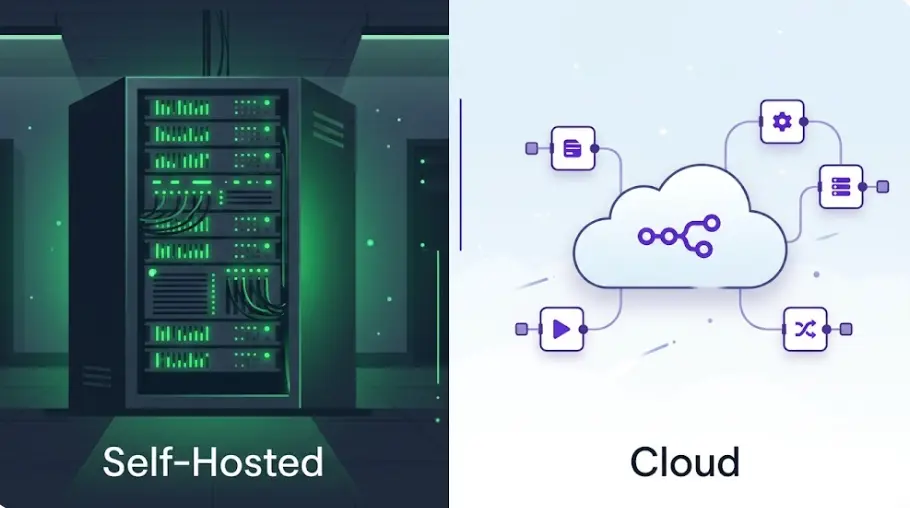
Short answer
Right for: teams without server experience, businesses where any maintenance burden is unacceptable, and anyone running under ~3,000 workflow executions per month. You pay $20–120/month and get uptime, updates, and backups handled by n8n's team. No Linux knowledge required.
Right for: developers and technical teams, anyone processing sensitive or regulated data that can't leave their own infrastructure, and anyone running enough executions that Cloud's per-execution pricing stops making sense. Total cost: $5–15/month for a VPS, unlimited executions.
The honest crossover point: once you're running more than 5,000–10,000 executions per month with any regularity, self-hosting pays for itself within 2–3 months. Below that threshold, Cloud's managed experience usually wins unless data residency requirements force your hand. The decision almost never comes down to features — it comes down to volume, data, and whether you have someone technical enough to maintain a server.
In this comparison
- What "self-hosted" and "cloud" actually mean for n8n
- Pricing in real numbers: Cloud plans vs VPS cost
- Setup: how long does self-hosting actually take?
- Maintenance load: updates, backups, monitoring
- Feature differences between hosting options
- Data control, privacy, and GDPR compliance
- Performance and reliability
- Who should pick which — by situation
- FAQ
What "Self-Hosted" and "Cloud" Actually Mean for n8n
n8n is open-source software — the same code runs whether you're on their cloud or your own server. "Cloud" means n8n Inc. runs that code on their infrastructure and you access your instance via a subdomain like yourname.app.n8n.cloud. They manage the server, the database, the SSL certificate, automatic updates, and daily backups. You log in and build workflows. Nothing on your end to maintain.
"Self-hosted" means you provision a server — a VPS from Hetzner, DigitalOcean, Vultr, or AWS — install n8n there, and run it yourself. The most common setup is Docker: you write a docker-compose.yml, spin up n8n alongside a PostgreSQL database, and point your domain at the server. From that point, n8n runs continuously on your machine, and your workflows execute there. The workflow data — execution logs, credentials, workflow definitions — lives in your database on your server.
There's a third option that some teams overlook: n8n Cloud with a dedicated instance (available on the Power plan and above). This gives you cloud convenience with stronger isolation — your instance doesn't share infrastructure with other customers. It's relevant for teams that want managed hosting but have stricter requirements than the Starter or Grow plans provide. But for the purposes of this comparison, the meaningful divide is managed cloud versus running your own server.
On the community edition license: n8n's self-hosted community edition is genuinely free with no artificial execution limits, no feature locks, and no trial period. The enterprise self-hosted license adds SSO, advanced RBAC, custom log streaming, and priority support — but most teams running self-hosted for cost or data reasons don't need those features and stay on the community edition indefinitely.
Pricing in Real Numbers: Cloud Plans vs VPS Cost
n8n Cloud has three main tiers as of mid-2026. The Starter plan at $20/month gives you 2,500 workflow executions per month — that's one workflow completing start-to-finish counting as one execution, regardless of how many nodes it passes through. The Grow plan at $50/month covers 10,000 executions. The Power plan at $120/month removes execution caps and is aimed at teams running high-volume automations with many active workflows. Beyond Power, n8n offers Enterprise pricing negotiated per account.
Self-hosting costs what your VPS costs. A Hetzner Cloud CX22 instance (2 vCPU, 4 GB RAM, 40 GB SSD) runs €3.79/month — roughly $4.20 at current exchange rates — and handles several hundred daily executions without breaking a sweat. DigitalOcean's basic 1GB Droplet is $6/month and works for lighter usage. For teams running heavier workflows or needing more memory for AI-intensive automations, a $12/month instance (4 GB RAM) is the typical choice. Add a domain name (~$12/year) and optionally a backup service, and total monthly cost stays under $20 even for a well-set-up instance.
Cost comparison at different execution volumes — monthly
The math above is why the crossover question matters. At 500 executions per month, paying $20 for Cloud instead of setting up a server is an obvious win — the time saved on setup and maintenance is easily worth $15/month. But at 15,000 executions per month, you're comparing $120/month (Cloud Power) to $15/month (self-hosted VPS) — a $105/month difference, or $1,260/year. A developer spending 4 hours per year on server maintenance — a realistic estimate for a stable n8n instance — is "paid" at $315/hour on that math. Almost always worth it.
One nuance: Cloud Starter's 2,500 execution limit can feel tight if you have workflows that trigger on webhooks at variable rates. A Shopify store processing 100 orders per day has workflows triggering 3,000 times per month just from order events — already past Starter. I've seen teams underestimate their execution count at sign-up and hit Grow ($50) within the first month. When building cost estimates, count every scheduled trigger, every webhook, every sub-workflow call — they each consume one execution.
Watch out for sub-workflow executions: When one n8n workflow calls another via the Execute Workflow node, that counts as a separate execution in Cloud plans. A main workflow that fans out to 10 sub-workflows consumes 11 executions per run. On self-hosted, there's no per-execution cost, so this architectural pattern carries zero pricing penalty.
Build Real n8n Workflows — From Scratch
The LearnForge AI Apps course teaches you to build production automation and AI agent workflows with n8n, whether you're running Cloud or self-hosted. Module 0 is completely free.
Try Free Lesson →Setup: How Long Does Self-Hosting Actually Take?
The honest answer: 15–30 minutes if you've done anything with Linux servers before, 60–90 minutes if you haven't. The setup process has gotten significantly more straightforward over the past two years — n8n now publishes a one-click DigitalOcean marketplace image that gets you a running instance with SSL in about 10 minutes. But most people running self-hosted use Docker, because it makes updates and migrations cleaner.
The typical Docker-based setup on a fresh Ubuntu VPS looks like this:
Provision a VPS
Create an Ubuntu 22.04 server on Hetzner, DigitalOcean, or Vultr. For most solo builders, CX22 (Hetzner, €3.79/mo) or the Basic Droplet (DigitalOcean, $6/mo) is sufficient. Point your domain's A record at the server's IP.
Install Docker and Docker Compose
Standard Ubuntu Docker install: apt install docker.io docker-compose-plugin. Five minutes.
Write docker-compose.yml
n8n's official docs include a working compose file with n8n, PostgreSQL, and the correct volume mounts. Copy it, set your domain and SMTP credentials as environment variables. Five minutes.
Add Caddy or Nginx as a reverse proxy for SSL
Caddy is the easiest path here — it handles Let's Encrypt certificates automatically with a four-line Caddyfile. Nginx requires a bit more config but is equally valid. Ten minutes.
Start the stack and test
docker compose up -d, then open your domain. First-run setup wizard prompts for admin credentials. Done. Create a test workflow, run it, verify execution log appears.
The part that trips people up isn't Docker — it's the domain configuration. DNS propagation can take 10–30 minutes, and people sometimes start troubleshooting n8n configuration when the real issue is that their domain hasn't resolved yet. If something isn't working in the first 30 minutes, check whether curl -I https://yourdomain.com returns anything before assuming the problem is in your compose file.
n8n Cloud, by comparison, takes two minutes: sign up at app.n8n.cloud, pick a plan, and your instance is live. No server, no DNS, no Docker. For a team that just wants to start building workflows and has no interest in server management, this gap is real and meaningful. The setup cost of self-hosting is a one-time investment, but it's a cost that some people genuinely don't want to pay.
Maintenance Load: Updates, Backups, Monitoring
This is the most honest part of the self-hosting story. The setup is a one-time event. The ongoing maintenance is a recurring cost that people routinely underestimate — and routinely overestimate, depending on who you ask.
Updates: n8n releases a new version roughly every 2–4 weeks. On Docker, updating is two commands: docker compose pull && docker compose up -d. The whole process takes 2 minutes. I update my self-hosted instance maybe 8–10 times per year when I remember to, skipping minor patch releases and updating at minor version increments. In a year, that's 20 minutes of work. n8n Cloud handles updates automatically — you might notice a new feature appeared without doing anything.
Backups: The thing you absolutely need to set up and then never think about again. On Docker with PostgreSQL, a daily backup script looks like this:
#!/bin/bash
docker exec postgres pg_dump -U n8n n8n | gzip > /backups/n8n_$(date +%Y%m%d).sql.gz
find /backups -name "*.sql.gz" -mtime +30 -delete
Run via cron, this takes 30 seconds to set up and produces daily compressed backups with 30-day retention. Add an rsync to an offsite location (a cheap object storage bucket, a different VPS, your local machine) and you have proper disaster recovery. n8n Cloud on Starter and Grow plans includes automatic daily backups maintained by their team — one less thing to think about.
Monitoring: Without monitoring, a self-hosted n8n instance that went down at 3 AM could stay down for hours before anyone notices. UptimeRobot's free tier checks your instance every 5 minutes and sends an email if it's unreachable. Takes 5 minutes to set up. For anything business-critical, also monitor that your scheduled workflows are actually completing — a workflow that silently fails without triggering the instance going down won't show on uptime monitoring.
Zero operational overhead
n8n Cloud handles OS-level security patches, database maintenance, SSL renewal, uptime monitoring, and incident response. When n8n releases a version with a security fix, Cloud instances are updated before most self-hosted users have read the changelog. For teams with no DevOps capacity — where "the developer" is also the salesperson, the support rep, and the founder — this matters a lot. The $20–120/month is partly paying for insurance against having to debug a Docker networking issue on a Saturday.
Cloud wins on operational simplicityExecution log retention and database access
n8n Cloud Starter keeps execution logs for 7 days. Grow extends to 30 days. Power gives you more, but even on Power you don't have direct database access — you see what n8n's UI exposes. On self-hosted, execution history retention is limited only by your available disk space and whatever pruning settings you configure. Direct PostgreSQL access means you can query execution data for analytics, audit trails, or debugging patterns that span months. Teams in regulated industries that need long-term audit logs of what data passed through which workflow often end up self-hosting for this reason alone.
Self-hosted wins on log retention and data accessFeature Differences Between Hosting Options
At the workflow level, self-hosted and Cloud are the same product. Every node, every trigger type, every integration works the same way. The differences are in team management, collaboration features, and some UI conveniences that n8n has prioritized in their Cloud product.
| Feature | Cloud Starter ($20) | Cloud Grow ($50) | Self-Hosted (free) |
|---|---|---|---|
| Workflow executions/month | 2,500 | 10,000 | Unlimited |
| Active workflows | 5 | 15 | Unlimited |
| Team members | 2 | 5 | Unlimited |
| Execution log retention | 7 days | 30 days | Unlimited (disk-dependent) |
| AI Agent nodes | Full support | Full support | Full support |
| Automatic updates | Yes | Yes | Manual (2 commands) |
| Automatic backups | Yes | Yes | You configure backups |
| Data stays on your server | No | No | Yes |
| Direct database access | No | No | Yes (PostgreSQL) |
| Custom environment variables | Limited | Some | Full control |
| Custom npm modules in code nodes | No | No | Yes |
| SSO / SAML | No | No | Enterprise license |
Two items in the table above are worth expanding. The active workflow limits on Cloud Starter (5 workflows) and Grow (15 workflows) can become binding faster than the execution limits. A team running a modest automation stack — email routing, CRM sync, Slack notifications, data exports, reporting, error alerting — will comfortably hit 15 active workflows before hitting 10,000 executions. This is one of the less-discussed arguments for upgrading to Power or switching to self-hosted: the execution count often isn't the binding constraint.
Custom npm modules in code nodes are significant for anyone building automations that require specialized libraries — PDF parsing, image manipulation, custom cryptography, data science utilities. n8n Cloud sandboxes the code execution environment, which means you're limited to the packages n8n pre-installs. Self-hosted runs in your environment: you can install any npm package, pin specific versions, and use local file system access in code nodes. For workflows that aren't just API-to-API integrations, this flexibility is occasionally decisive.
Data Control, Privacy, and GDPR Compliance
When a workflow runs on n8n Cloud, the execution data — including the actual content of every item that passes through each node — is stored in n8n's database on their infrastructure. For most workflows, this is fine: you trust Stripe's cloud with your payment data, you trust HubSpot's cloud with your CRM data, and n8n's cloud with your automation data isn't meaningfully different. n8n Inc. is a legitimate company with standard data processing agreements and GDPR-compliant EU infrastructure options.
The situation changes when the data flowing through your workflows is genuinely sensitive: medical records, financial transaction details, legal documents, internal HR data, or customer information covered by contractual non-disclosure. I've worked with clients in healthcare and legal services where the workflow data itself — not just the credentials — was subject to strict data handling requirements. In those cases, the question isn't whether n8n's security is good enough; it's whether the contract allows the data to pass through a third-party system at all.
Self-hosting solves this completely. Workflow execution data stays in your PostgreSQL instance on your server in your data center (or on a cloud VPS in a region you control). Your automation pipeline becomes a first-party system. This is the primary driver for self-hosting in regulated industries — not cost, not feature differences, but data residency requirements that simply can't be met with a third-party SaaS.
A note on credential security: n8n stores credentials (API keys, OAuth tokens, database passwords) encrypted in both Cloud and self-hosted deployments. The encryption key is generated at setup time. On self-hosted, you control that key and can rotate it. On Cloud, n8n manages key storage. In both cases, plain-text credential values aren't visible in the execution logs — they're masked. The security model is solid in either direction; the self-hosting advantage is that you control the entire chain of custody.
For GDPR specifically: n8n Cloud offers a Data Processing Agreement (DPA) as standard for EU customers and stores data in EU regions if configured. This satisfies GDPR for most use cases. Where GDPR compliance gets more nuanced is with data minimization requirements — if a workflow processes personal data and logs full execution payloads, you may be storing more personal data than necessary. On self-hosted, you can configure n8n to not save execution data at all (EXECUTIONS_DATA_SAVE_ON_SUCCESS=none), giving you fine-grained control over what gets logged. Cloud plans have similar settings, but they apply to n8n's database rather than one you control.
Performance and Reliability
n8n Cloud is designed to be always available. n8n Inc. operates multiple availability zones, runs with load balancers, and maintains an SLA for paid plans. For most users, Cloud uptime is effectively invisible — you don't think about it because it just works. The platform's status page historically shows 99.9%+ uptime for production infrastructure.
Self-hosted uptime depends on your setup. A single VPS without redundancy will occasionally have a bad day — the hosting provider has a network issue, the kernel panics, Docker decides to be uncooperative at an inopportune moment. Hetzner's infrastructure is extremely reliable (they publish uptime statistics north of 99.95% for their compute fleet), but "the VPS is fine" and "n8n is responding" are two different things, and you're responsible for monitoring the gap.
On performance: self-hosted can actually outperform Cloud for certain workloads because you have a dedicated server with predictable resources rather than sharing infrastructure with other tenants. A $12/month Hetzner CX32 (4 vCPU, 8 GB RAM) handles concurrent workflow executions better than a Cloud Starter account will when n8n is throttling execution concurrency to manage shared infrastructure load. For CPU-intensive workflows — heavy data transformation, running code nodes that process large datasets — a dedicated VPS with more RAM gives you more headroom.
Reliability without effort
The Cloud offering has built-in high availability that would take real engineering effort to replicate self-hosted. For businesses where automation downtime costs money — if a workflow not running for 4 hours means missed leads, delayed orders, or broken SLAs — Cloud's guaranteed uptime and managed incident response is worth paying for. Most self-hosted setups are single-server, which means a VPS issue takes n8n with it.
Cloud wins on guaranteed uptimeDedicated compute for intensive workloads
A self-hosted instance on a dedicated VPS isn't competing with other n8n customers for CPU time. When you run a workflow that processes 10,000 rows of data through a series of transformation nodes, you have the full resources of your server. Cloud accounts, especially on Starter and Grow tiers, are subject to concurrency limits and shared infrastructure constraints that become noticeable under load. Teams running data-intensive workflows often see significantly faster execution times on a mid-tier self-hosted instance compared to Cloud Starter.
Self-hosted wins on dedicated compute performanceWho Should Pick Which — By Situation
You're just getting started with n8n and want to learn the tool
Cloud Starter ($20/month). The 2,500 executions are enough to build and test dozens of workflows while you're learning. You're not going to hit the limits while you're still figuring out what the HTTP node does. Come back to the self-hosting decision once you have a clear picture of your actual monthly execution count and know whether your workflows will process sensitive data.
You're running more than 5,000–10,000 executions per month and cost matters
Self-hosted. The math above doesn't lie — at 10,000 executions you're on Cloud Grow ($50/month), and at 15,000+ you're looking at Power ($120/month). A $10/month Hetzner VPS handles those volumes with resources to spare, and the $40–110/month you save pays for a lot of developer time. If you have any technical competence on your team, the ROI on self-hosting at this volume is immediate.
Your workflows handle medical, legal, financial, or contractually-restricted data
Self-hosted, full stop. This isn't really a cost or convenience question — it's a compliance question. When the data passing through your workflow is covered by HIPAA, legal privilege, financial regulation, or a contractual data handling clause that prohibits third-party processing, self-hosting is the path that makes the compliance conversation straightforward. The data stays on your server, in your control, and never touches n8n Inc.'s infrastructure.
You're a non-technical business owner who needs automations running reliably
Cloud. Not because self-hosting is beyond you technically — it isn't, necessarily — but because your time and attention are better spent on your business than on server maintenance. The $20–50/month Cloud fee is a legitimate business expense that buys you a managed service you don't have to think about. If you're already using Zapier, Make, or similar cloud tools, n8n Cloud fits into the same operational model.
You're building AI agents that process sensitive internal company data
Self-hosted is worth the setup for this use case. AI agent workflows often process confidential information — internal documents, customer communications, financial summaries, proprietary product data. Having those prompts, responses, and intermediate reasoning steps stored on your own server rather than n8n's database is a meaningful security improvement. The AI Agent node works identically either way, but where the execution data lives is different.
Your workflows use custom npm packages or need direct file system access
Self-hosted is the only option. Cloud's code execution environment doesn't allow arbitrary package installation. If you're building workflows that parse PDFs with a specific library, manipulate images, run data science utilities, or need to read and write local files as part of their logic, you need the flexibility of running in your own environment. This is less common than the pricing or data arguments, but when it applies, it's decisive.
Frequently Asked Questions
Is n8n self-hosted really free?
Yes — the community edition is open-source and free to run on your own server. The only cost is the server itself. A Hetzner CX22 (2 vCPU, 4 GB RAM) costs €3.79/month (~$4.20) and handles hundreds of daily executions comfortably. DigitalOcean's basic Droplet runs $6/month. Total monthly cost for most setups: $5–15. The paid Enterprise self-hosted license adds SSO and advanced RBAC, but the community edition has no workflow limits, no execution caps, and no time limit.
How long does it take to set up n8n self-hosted?
With Docker on a fresh VPS, 15–30 minutes if you have server experience. 60–90 minutes if you don't. The steps: provision VPS → install Docker → configure docker-compose.yml → set up Caddy or Nginx for SSL → start the stack. n8n's DigitalOcean marketplace image cuts this to under 10 minutes. n8n Cloud takes 2 minutes to sign up with zero maintenance after.
Which is better for a small business, n8n cloud or self-hosted?
For a small business without a technical person on staff: Cloud ($20/month). For a technical founder or a business with a developer: self-hosted, once you're running more than ~3,000 executions per month. The Cloud Starter plan's 2,500 execution limit and 5 active workflow cap can feel tight for even a modest automation stack. At 5,000+ executions/month, self-hosting on a $10 VPS saves $30–110/month compared to Grow or Power plans.
Can n8n self-hosted handle the same workflows as n8n Cloud?
Yes — the workflow engine is identical. Every node available in Cloud works the same way self-hosted: AI Agent nodes, HTTP nodes, code nodes, all triggers. Differences are in team management UI (Cloud is more polished out of the box), automatic updates (Cloud handles them, self-hosted needs manual commands), and execution log retention (Cloud Starter: 7 days; self-hosted: limited only by your database storage).
What happens when n8n self-hosted goes down?
Your workflows stop running until you restore the instance — there's no automatic failover. Mitigations: UptimeRobot (free) alerts you within minutes of downtime, daily PostgreSQL backups let you recover quickly, and documenting your restore process means recovery takes 15 minutes instead of 2 hours. For workflows where a few hours of downtime is acceptable, this risk is manageable. For mission-critical automations with no tolerance for interruption, Cloud's managed SLA is worth the premium.
Does n8n self-hosted support AI agents?
Yes, fully. AI Agent nodes, LangChain integration, vector store nodes, and all memory types work identically on self-hosted. Self-hosting is often preferred for AI workflows that process sensitive data — prompts, responses, and intermediate reasoning steps stay on your server, never touching n8n's infrastructure. Teams building AI agents for confidential customer or internal company data often choose self-hosting specifically for this reason.
Related Articles
n8n Pricing 2026: Free vs Cloud vs Self-Hosted — What You Actually Pay
Full n8n pricing breakdown with real execution math and honest cost comparison to Zapier and Make at different usage volumes.
n8n vs Make (Integromat): Full Comparison for 2026
n8n vs Make compared with real numbers: operations vs executions pricing, visual builders, AI agents, self-hosting, and an honest verdict.
How to Build AI Agents with n8n — Step by Step (No Code)
Build real AI agents with n8n's AI Agent node: memory types, connecting live tools, debugging ReAct, and a full production support agent example.
Build AI Apps and Automations From Scratch
The LearnForge AI Apps course covers n8n, FlutterFlow, and AI API integration — from zero to shipping real projects. Whether you run Cloud or self-hosted, the skills transfer directly. Module 0 is completely free.
Start Free Lesson →