n8n Review 2026: Is It Really the Best Automation Tool?
n8n has been called the most powerful open-source automation tool available today. That claim is partly true — and partly context-dependent. After extensive use in production across projects of different scales, here is an honest assessment of where n8n delivers and where the reality falls short of the reputation.
Quick Verdict
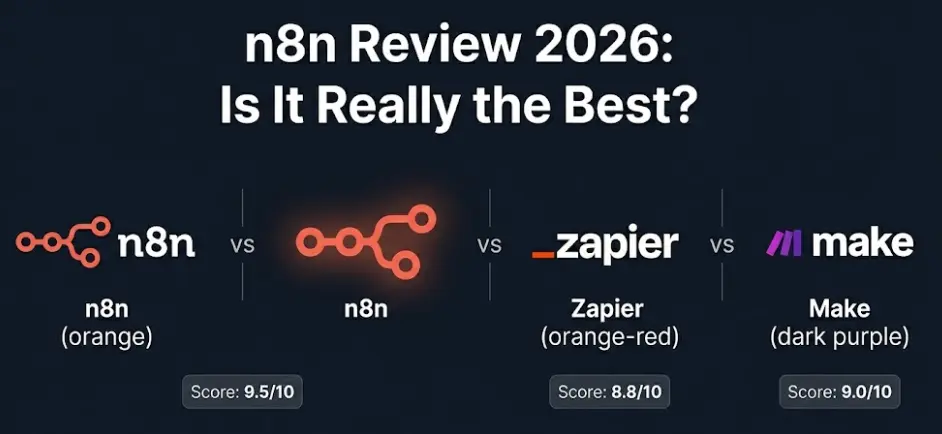
Bottom line: n8n is the best automation tool available in 2026 for developers and technical teams — not because of marketing, but because of the combination of self-hosting, genuine AI integration, custom code support, and unlimited executions at no per-task cost. For non-technical users or teams that need the widest app library fast, Zapier still wins on convenience. The "best" depends entirely on who is using it.
In this review
n8n in 2026 — What's Actually Changed
n8n has gone through more transformation in the past two years than in all of its previous history combined. The version most people discovered through YouTube tutorials or Product Hunt in 2021–2022 looks almost nothing like what the platform is in 2026. Understanding that gap matters, because a lot of the "n8n review" content circulating online was written about a different product.
The most significant shifts: n8n shipped a full redesign of its execution engine, moved to a project-based workspace model (instead of a flat workflow list), introduced native AI Agent nodes backed by LangChain, and added vector store integrations for RAG workflows. The tool has visibly matured from a powerful-but-rough open-source project into something that looks like a professional product with a sustainable business behind it.
n8n's community has grown to over 65,000 GitHub stars, making it one of the top 200 most-starred repositories on the platform. Their Discord has over 50,000 members with genuinely active support channels. These numbers matter for a practical reason: when you hit a problem, the probability of someone having solved it before you and documented it is high. Self-hosted open-source tools live or die by their community, and n8n's is real.
The AI direction is where n8n has made its most decisive bet. Rather than treating AI as one more node among hundreds, n8n built a dedicated AI subsystem: AI Agent nodes that can reason and decide which tools to call, a Memory manager for stateful conversations, and direct integrations with OpenAI, Anthropic Claude, Google Gemini, Mistral, Ollama (for local models), and any LLM accessible via HTTP. This isn't just plugging in an OpenAI API call — it's a proper orchestration layer for building LLM-powered agents.
Context for this review: This assessment is based on production use of n8n self-hosted (v1.x) and n8n Cloud across multiple projects — including a customer support routing system, a content pipeline pulling from multiple data sources, and a RAG-based internal knowledge tool. The goal is to be useful to someone deciding whether n8n fits their situation, not to rank it against abstract criteria.
The Interface and Learning Curve — Honest Assessment
n8n's visual canvas is the first thing that impresses newcomers and the first thing that frustrates them a week later. The node-based interface is genuinely well-designed — you can see your entire workflow at once, inspect what data flows between each step, and debug visually by clicking nodes to see their inputs and outputs. For workflows up to roughly 20–30 nodes, this is excellent. When a workflow grows to 50+ nodes with multiple branches, sub-workflows, and error handlers, the canvas starts to feel like a city map without zoom controls.
The learning curve is steeper than Zapier but not because n8n is poorly designed — it's because n8n exposes the actual complexity of automation. When you write a Zapier Zap, you're filling in forms. When you build an n8n workflow, you're building a data pipeline: you need to understand the structure of the JSON flowing between nodes, how expressions work (n8n uses its own expression syntax based on JavaScript), and how to reference data from earlier steps. For developers, this is natural. For non-technical users, it's a significant barrier.
The expression editor — where you write {{ $json.email }} to reference a field from the previous node — is the biggest stumbling block for new users. The syntax is intuitive once you understand it, and n8n added an expression helper in recent versions that shows available data from upstream nodes. But you still need to understand that data has a structure and that you need to navigate it, which isn't obvious to someone who has never worked with JSON.
Learning curve by background
The interface has improved in version 1.x in meaningful ways: the new project folders make it possible to organise dozens of workflows sensibly, the credential manager is cleaner, and the debugging panel now shows execution history with filterable logs. These are quality-of-life changes that matter in daily use. n8n has not reinvented the canvas — it's refined what was already there rather than redesigning it.
One interface choice worth noting: n8n's error handling is not automatic. By default, if a node fails, the workflow stops and logs an error. To handle failures gracefully — retry a step, send a Slack alert, write to an error log — you need to explicitly add error handling nodes and wire them up. This is more powerful than Zapier's automatic retry logic, but it means beginners will have workflows that fail silently until they learn to add error paths. It's not a flaw — it's a philosophy difference about how much you should hide from the user.
Where n8n Genuinely Excels
There are specific areas where n8n doesn't just compete with alternatives — it makes them look underpowered.
AI agent workflows — the real differentiator
n8n's AI Agent node is genuinely different from calling an LLM via HTTP. The agent can decide, based on the user's message and the tools available to it, which actions to take — search the internet, query a database, call an API, send a message — and it loops until it completes the task or runs out of steps. This is real ReAct-style reasoning built into a visual workflow, with full observability: you can see exactly what the agent decided at each step and why.
The practical result: building a customer support agent that can look up order status, check inventory, and escalate complex cases to a human — tasks that previously required writing a Python service — now takes an afternoon in n8n. The agent memory options (in-memory, PostgreSQL, Redis) mean agents can maintain context across multi-turn conversations. No other automation tool in this category offers this kind of AI orchestration at the same depth.
Self-hosting — real cost and privacy advantages
When you self-host n8n on a $6/month VPS, you get unlimited workflows and unlimited executions at zero marginal cost. A Zapier Professional plan at $49/month gives you 2,000 tasks per month — and each "task" is one action in one automation. A moderately complex workflow with 5 steps that runs 500 times a month consumes 2,500 tasks, exceeding the plan limit. At scale, Zapier's cost can reach thousands of dollars per month. n8n self-hosted stays at $6–12/month regardless of volume.
The privacy argument is more concrete than it sounds: data processed by Zapier passes through Zapier's servers. For workflows handling customer PII, financial data, or healthcare information, that's a compliance issue in many jurisdictions (GDPR, HIPAA, SOC 2). When you self-host n8n, data never leaves your infrastructure. This is why n8n shows up consistently in fintech, healthcare, and legal tech companies that would never consider Zapier for sensitive workflows.
Custom code that actually integrates
n8n's Code node lets you write JavaScript or Python inside the workflow, with full access to the data from every upstream node. This isn't a sandbox that restricts what you can do — you can import libraries, manipulate data structures, call external services, and return arbitrary output. The critical difference from Zapier's Code step (available only on expensive plans) is that n8n's Code node receives and returns structured item arrays, meaning it integrates cleanly with the rest of the workflow data model rather than acting as an escape hatch. Teams use this for things like: custom date calculations in complex invoicing workflows, fuzzy matching when syncing customer names between two CRMs with different formatting, or generating HMAC signatures for secure API calls that the native HTTP node doesn't handle out of the box.
Multi-branch logic that matches real business processes
Real business processes rarely follow a straight line: if the customer is on a premium plan, do X; if the order value exceeds $500, also notify the sales manager; if the payment fails, retry after 30 minutes and notify finance if it fails twice. In Zapier, modeling this requires multiple separate Zaps that trigger each other, which quickly becomes unmaintainable. In n8n, this is a single workflow with IF nodes, Merge nodes, and Wait nodes. Everything is in one place, visually connected, and you can trace any execution path at a glance. For anyone who has tried to maintain a 15-Zap chain that implements a "simple" business process, the n8n approach is a genuine relief.
Build AI Apps & Automations With n8n — From Scratch
Our n8n course covers n8n, FlutterFlow, and AI APIs. Learn to build real workflows and AI-powered apps — with no prior experience required. Module 0 is free.
Try Free Lesson →Real Limitations You Need to Know
n8n reviews that only praise the tool's strengths are not useful. There are specific areas where n8n is genuinely weaker than alternatives, and knowing them upfront saves time.
Integration coverage — 400 vs 7,000
This is the most significant practical limitation. Zapier supports over 7,000 apps; n8n supports 400+. In practice, this gap is smaller than it sounds — the 7,000 Zapier apps include hundreds of obscure tools most teams will never touch, and n8n covers all the mainstream platforms (Google Workspace, Slack, Notion, HubSpot, Salesforce, GitHub, Stripe, PostgreSQL, etc.). But there are real gaps: TikTok, LinkedIn Ads, some HR platforms (BambooHR, Workday), and a number of industry-specific SaaS tools that have Zapier integrations but not n8n nodes. If your automation depends on one of these missing integrations, you'll need to build it via HTTP node using the service's API — which is doable but requires API knowledge, compared to Zapier's plug-and-play configuration.
Self-hosting maintenance is a real overhead
Running n8n self-hosted means you own the infrastructure: updates, backups, uptime monitoring, SSL certificates, database maintenance. For a developer or DevOps team, this is routine. For a small business owner who just wants automations to work without thinking about them, it's a meaningful hidden cost. n8n releases updates roughly every 2–3 weeks, and major version upgrades sometimes include breaking changes that require workflow adjustments. The free cost is real, but so is the time cost of maintenance. Factor this in honestly: if you don't want to manage a server, n8n Cloud is the right choice — at $20/month, it's not expensive for what it provides.
Large workflows become hard to maintain
n8n's canvas approach works beautifully for workflows up to ~30 nodes. Beyond that, complexity compounds: the canvas becomes crowded, following execution paths requires zooming and scrolling, and debugging multi-branch workflows with 50+ nodes is genuinely difficult. The recommended mitigation is sub-workflows — breaking complex logic into separate workflows that call each other — but this adds a new complexity layer (passing data between workflows, managing error propagation across them). Teams building truly complex automation systems sometimes find they've created something only they can maintain. n8n is working on better workflow organisation tools, but in 2026 this is still a real limitation compared to code-based automation frameworks.
Cloud pricing jumps steeply at scale
n8n Cloud's $20/month Starter plan includes 2,500 executions — where one "execution" is one complete workflow run (not one action, unlike Zapier's per-task model). For many teams, this is adequate. But teams with high-volume workflows — processing hundreds of orders per day, monitoring dozens of endpoints, running scheduled reports — will hit the ceiling quickly. The Grow plan at $50/month covers 10,000 executions; Power at $120/month covers 50,000. If you need 100,000+ executions per month, you're looking at self-hosting or a custom Enterprise contract. The gap between "free self-hosted" and "expensive cloud" with no midpoint creates a real decision point that teams should evaluate before committing.
The Sustainable Use License — what it actually means: n8n switched from AGPL to its own Sustainable Use License in 2022. The key restriction: you cannot use a self-hosted n8n instance as a component of a commercial product that you sell to your own customers. Internal automation — your company using n8n to automate its own processes — is completely free with no restrictions. If you're building a SaaS product where n8n is part of the backend you're selling to clients, you need a commercial license. This doesn't affect the vast majority of users, but it's worth knowing if you're building a platform business.
Pricing in 2026 — Including the License Question
n8n's pricing model is more nuanced than most comparisons show. The real picture:
Self-Hosted
- Unlimited workflows
- Unlimited executions
- Full data privacy
- All features included
- Internal use only
- You manage updates & uptime
Cloud Starter
- Managed by n8n
- No server maintenance
- 2,500 workflow runs/mo
- 5 active workflows
- Community support
- All core features
Cloud Grow
- Unlimited active workflows
- 10,000 workflow runs/mo
- Email support
- Team members
- All Starter features
- Version history
Cloud Power
- 50,000 workflow runs/mo
- Priority support
- Custom variables
- External secrets vault
- Advanced permissions
- All Grow features
The real cost comparison at 10,000 executions/month: n8n Cloud Grow = $50/month. Zapier Professional = roughly $73/month (at 2,000 tasks × 5 steps avg = 10,000 tasks). Make Business = roughly $29/month at 10,000 operations. n8n Cloud is more expensive than Make at equivalent volumes but offers AI Agents, better custom code support, and self-hosting as an alternative. The self-hosted option changes the calculation entirely — for a developer team, $6/month VPS vs $73/month Zapier is not a close comparison.
n8n vs Zapier vs Make — Updated Comparison
Each tool occupies a different position. The table below shows the honest differences — not the marketing version:
| Feature | n8n | Zapier | Make |
|---|---|---|---|
| Self-hostable | ✓ Free | ✗ Cloud only | ✗ Cloud only |
| Open source | ✓ Sustainable Use License | ✗ Proprietary | ✗ Proprietary |
| Native integrations | 400+ | 7,000+ | 1,500+ |
| AI Agent nodes | ✓ Native (LangChain) | ~ Via Zaps, limited | ~ Basic AI modules |
| Custom code (JS/Python) | ✓ All plans | ~ Paid plans only | ~ Limited |
| Multi-branch logic | ✓ Advanced | ~ Basic (Paths on paid) | ✓ Good |
| Visual canvas | ✓ Node-based | ~ Linear steps | ✓ Flow-based |
| Error handling | ✓ Explicit, full control | ~ Auto retry, basic | ~ Auto retry + custom |
| Data privacy | ✓ Your server (self-host) | ✗ Zapier's cloud | ✗ Make's cloud |
| Ease of first workflow | ~ 30–60 min | ✓ 5–10 min | ~ 15–30 min |
| Cost at 10K runs/mo | $50 cloud / $6 self-host | $70–150+ | $29 |
| Best suited for | Developers, AI workflows, privacy-sensitive | Non-technical teams, simple automations | Budget-conscious, visual complex flows |
Make (formerly Integromat) deserves more credit in this comparison than it usually gets. At $29/month for 10,000 operations, it's the most cost-effective cloud option for teams that need visual workflow building without technical infrastructure. Make's router-based canvas handles complex flows well and its execution model (per-operation rather than per-workflow-run) can be cheaper for workflows with many parallel branches. The main reason Make doesn't win this comparison is its AI capabilities: Make's AI support is basic compared to n8n's native AI Agent infrastructure. For teams not building AI-heavy workflows, Make is worth serious consideration over both Zapier and n8n Cloud.
Who Should Use n8n — and Who Shouldn't
The pattern in every honest n8n review is the same: it depends on context. Here are the specific situations where n8n is the clear choice — and where it isn't.
Developers and technical teams automating internal processes
This is n8n's strongest use case. If you're comfortable with JSON, can set up a Docker container, and need automation that handles custom logic, multi-step branching, or sensitive data — n8n self-hosted is the obvious choice. You get a production-grade automation platform at the cost of a VPS. A development team that previously had a junior developer maintaining a pile of Python scripts for internal automation will find n8n lets one person replace that entire script library with something maintainable and visible.
Teams building AI-powered workflows and agents
If AI is a meaningful part of what you're automating — routing decisions, document processing, customer conversations, data enrichment with LLMs — n8n's AI infrastructure is genuinely mature. The combination of AI Agent nodes, LangChain integration, vector store support (Pinecone, Qdrant, Supabase pgvector), and memory management lets you build things that would take weeks of custom code development in a fraction of the time. This is where n8n has the largest competitive gap over Make and Zapier in 2026.
Organisations with data privacy requirements
Healthcare, legal, financial services, and any company handling EU-resident data under GDPR will find n8n's self-hosting option solves a compliance problem that Zapier and Make simply can't address. When your automation processes patient records, financial transactions, or personal data that cannot leave your infrastructure, self-hosted n8n is the only viable choice among the three. The cost comparison isn't relevant — it's about what's legally permissible.
Teams hitting Zapier's task limits or pricing ceiling
Zapier's per-task pricing model becomes expensive quickly. A company running automations that process 100,000+ tasks per month — which is common for any moderate-sized e-commerce, SaaS, or marketing operation — will pay $500–2,000+/month on Zapier. Migrating those workflows to n8n self-hosted brings that to $10–15/month in infrastructure. The migration has a cost (rebuilding workflows, learning n8n's interface), but for high-volume users the ROI is measured in months, not years.
n8n is not the right choice if:
Frequently Asked Questions
Is n8n worth it in 2026?
For technical teams, yes — decisively. n8n's combination of self-hosting, AI Agent infrastructure, custom code support, and zero per-execution cost makes it the most capable automation platform available to developers in 2026. The caveat: it requires more technical knowledge than Zapier to operate, and the app coverage (400+ integrations vs Zapier's 7,000+) can be a real constraint for teams working with niche or consumer-focused SaaS tools. For non-technical teams with simple automation needs, Zapier remains easier to get started with.
What are the real limitations of n8n?
The five most significant: (1) 400+ native integrations vs Zapier's 7,000+ — popular consumer apps like TikTok and LinkedIn are missing; (2) self-hosting means you manage server maintenance, updates, and uptime; (3) large workflows (50+ nodes) become hard to navigate and maintain; (4) cloud pricing jumps steeply after 2,500 executions/month; (5) the Sustainable Use License prohibits embedding n8n in a commercial SaaS product sold to others without a commercial license. None of these are blockers for most use cases, but they're worth understanding before committing.
How does n8n compare to Zapier in 2026?
n8n wins on self-hosting (free, unlimited executions), custom code (JavaScript and Python on all plans), complex branching logic, AI Agent workflows, and data privacy. Zapier wins on app coverage (7,000+ integrations), speed of first workflow setup (5 minutes vs 30–60 minutes for n8n), and being fully managed with no infrastructure overhead. For developers and technical teams, n8n is a significant upgrade over Zapier. For non-technical business users who need to connect mainstream apps quickly, Zapier's ease of use still matters.
Is n8n really free to self-host?
For internal business automation, yes — completely free with unlimited workflows and executions. The Sustainable Use License restriction applies only to using n8n as a commercial product sold to your own customers (a white-label platform business). For a company automating its own processes — CRM syncs, AI workflows, internal notifications, data pipelines — there are no restrictions and no costs beyond server infrastructure ($6–15/month on a basic VPS). The self-hosted version includes all features, including AI Agent nodes, without any feature gating.
Related Articles
What is n8n? The Beginner's Guide to No-Code Automation (2026)
How n8n works, what you can automate, and how it compares to Zapier and Make — for people just discovering the tool.
n8n Tutorial for Beginners: Build Your First Workflow in 20 Minutes
Step-by-step: build a Webhook → Google Sheets → Slack automation from scratch. Real workflow, no prior experience needed.
FlutterFlow Review 2026: Can You Really Build a Real App With It?
Honest FlutterFlow review — what it produces, where AI generation works, real pricing, and who the platform is actually for.
Build With n8n and AI — Learn the Full Stack
The LearnForge n8n course covers n8n workflows, FlutterFlow app building, and AI API integration — from zero to shipping real projects. Module 0 is completely free. No credit card needed.
Start Free Lesson →