Zapier vs Make vs n8n: The Ultimate No-Code Automation Comparison
These three tools dominate no-code automation in 2026, and they're often presented as interchangeable alternatives. They're not. Each one was built around a different idea of what automation should cost, how complex it should be, and who should be doing it. Getting the choice wrong doesn't mean you can't automate — it means you'll pay more than you should, or hit a ceiling sooner than you need to.
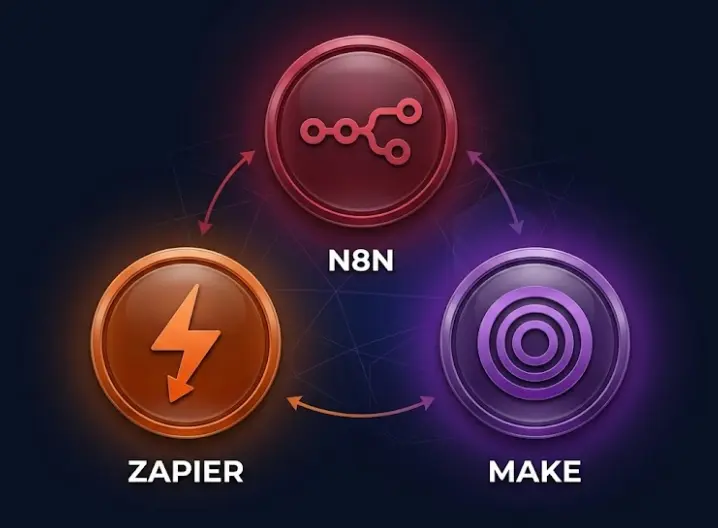
Short answer — who each tool is for
Simple 1-3 step automations, non-technical users, maximum app selection, zero tolerance for setup complexity. Accept higher cost at scale for the convenience.
Visual control without code, moderate complexity, slightly lower cost than Zapier at volume. Cloud-only. Better fit for teams that outgrew Zapier but aren't ready for a node canvas.
Complex workflows, high volume, AI agents, self-hosting, or any use case where per-execution pricing beats per-task/per-operation billing. The highest ceiling, the steepest initial curve.
The comparison that actually matters isn't feature parity — it's which tool fits your team's real constraints. A solo freelancer setting up client lead notifications doesn't need n8n's self-hosting. A fintech startup processing 50,000 workflows per month with customer PII can't afford Zapier's per-task pricing or Make's cloud-only model. Most comparisons ignore this and rank features instead of fit.
In this comparison
The Three Tools at a Glance
Zapier launched in 2011 and built the category. Its genius was reducing automation to the simplest possible mental model: a trigger and one or more actions, connected in a linear chain called a "Zap." Pick two apps from a growing library, map a few fields, flip a switch. Fifteen years later this model is still intact, and it's still the fastest path from "I want to connect these two apps" to "it's running." The library has grown to over 7,000 app integrations, which is genuinely a moat — no other tool comes close for breadth.
Make (originally Integromat, founded in Prague in 2012) looked at Zapier's linear list and decided the visual layer was wrong. Automation isn't a list of steps — it's a diagram with branches, loops, and data flowing between pieces. Make's scenario builder draws that diagram on screen, letting you see exactly what your automation does at a glance. It's more capable than Zapier for moderate complexity, costs less at comparable volume, and still doesn't require code. The trade-off is a steeper initial learning curve and a per-operation billing model that can surprise you as workflow complexity grows.
n8n arrived in 2019 (Berlin) with a different starting assumption: what if automation was open-source and self-hostable, with a node canvas that could express workflows as sophisticated as anything a developer would write in code? n8n has a smaller native node library (~400 apps) but a universal HTTP Request node that connects to any REST API. It runs on your own infrastructure for free. And its AI Agent node — built on LangChain — lets you build real agents that reason over which tool to call next, not just LLM-powered steps inside an otherwise static workflow.
Pricing Models — Tasks vs Operations vs Executions
The three billing models sound similar but diverge sharply at real-world workflow complexity. Zapier charges per task — every individual action inside a Zap counts, so a 6-step workflow run 1,000 times costs 6,000 tasks. Make charges per operation — every module execution including filters and transformations, so the same workflow at the same volume costs 6,000 operations. n8n charges per execution — the whole workflow run, one unit, regardless of how many nodes it passes through. The same 6-step workflow at 1,000 runs costs 1,000 executions.
At low volume and low complexity, this gap is small. At the level most growing businesses hit within six months of using automation seriously, it becomes the primary factor in total cost.
Pricing tiers snapshot (2026)
| Plan tier | Zapier | Make | n8n |
|---|---|---|---|
| Free tier | 100 tasks/mo, 2-step only | 1,000 ops/mo, 2 active scenarios | Self-hosted: unlimited free |
| Entry paid | ~$29.99/mo — ~750 tasks | $10.59/mo — 10,000 ops | $20/mo — 2,500 executions |
| Mid tier | $73.50/mo — 2,000 tasks | $18.82/mo — 40,000 ops | ~$50/mo — 10,000 executions |
| Multi-step billing | Each step = 1 task | Each module = 1 op | Whole run = 1 execution |
| Self-host option | No | No | Yes — ~$10/mo VPS, unlimited runs |
Real-world cost: a 6-step order processing workflow, 2,000 runs/month
Make's per-operation pricing is competitive with n8n Cloud at this complexity level, but diverges as workflows grow more steps. And both Make and Zapier hit a structural ceiling that n8n doesn't: as your team grows and more people need automation access, both charge by seats or by operations that scale with usage. n8n Cloud's flat pricing and self-hosted's near-zero marginal cost mean the advantage only grows as volume increases.
Learn to Build Automations and AI Agents With n8n
The LearnForge AI Apps course teaches production n8n workflows from scratch — no prior experience needed. Module 0 is free.
Try Free Lesson →App Integrations: 7,000 vs 1,500 vs 400
Zapier's 7,000+ integrations are a genuine competitive advantage — not because most users need more than a few dozen, but because the tail matters. That niche podcast hosting platform, the regional HR software, the vertical-specific CRM that your industry uses but that no one else has heard of — Zapier's team has probably already built a connector for it. When the specific app you depend on is in the library with a polished integration, you save real hours compared to wiring it up yourself.
Make's 1,500+ modules cover the mainstream SaaS landscape well. The gap from Zapier is real for niche tools, but most businesses that automate seriously use a stack of 10-15 applications, and Make likely covers all of them. Where Make's library is thin, it has an HTTP module that handles REST APIs — less convenient than a native module but functional.
n8n's ~400 native nodes cover the high-priority integrations comprehensively — major CRMs, project management tools, communication platforms, databases, payment processors, AI providers. Beyond that, the HTTP Request node is the real equalizer. Any service with a documented REST API can be connected in n8n, and the credential manager handles OAuth, API keys, and custom auth flows. The difference from native nodes: you read the API docs and configure it yourself. For a developer, that's fifteen minutes; for a non-technical user, it's a genuine friction point.
| Integration category | Zapier | Make | n8n |
|---|---|---|---|
| Total native integrations | 7,000+ | 1,500+ | ~400 |
| Major SaaS (HubSpot, Slack, Salesforce…) | All covered | All covered | All covered |
| Niche / vertical-specific apps | Best coverage | Good, some gaps | HTTP node as fallback |
| Custom REST APIs | HTTP connector (premium) | HTTP module (standard) | HTTP node + code nodes |
| Community-built integrations | Limited | Limited | Active npm ecosystem |
The integration number that actually matters: How many apps in your current stack does each tool support natively? For the typical 10-15 app business stack in 2026, all three tools cover it. The 7,000 vs 400 gap matters when you have a specific niche dependency — not in general. Run through your actual tool list before letting the headline integration count drive your decision.
Workflow Complexity and Logic
This is where the three tools diverge most clearly, and where picking wrong costs the most time down the road.
Zapier — linear with conditional branches
Zapier's model is a trigger followed by a sequence of actions. Paths (conditional branching) let a Zap split based on field values — up to 10 branches per Path step. Filters let you stop a Zap from continuing if a condition isn't met. Looping exists via the "Looping by Zapier" add-on, which runs a sub-Zap per loop iteration.
The ceiling: branches don't re-merge. Once you split a Zap with Paths, each branch runs independently to its end — there's no way to run branch logic and then continue with a shared final step. Complex workflows become networks of linked Zaps, each with its own task budget and failure surface. A workflow that's one canvas in n8n might be 4-5 connected Zaps in Zapier.
Make — scenarios with visual branches and iterators
Make's scenario canvas shows your automation as a diagram — modules connected by lines, with Routers for branching and Iterators for processing arrays element by element. You can see conditional logic branching outward from a Router and trace each path visually. The execution history shows exactly what data each module processed on every run, which makes debugging significantly easier than Zapier's logs.
The ceiling: branches still don't re-merge after a Router, mirroring Zapier's limitation. The Iterator/Aggregator pattern for loops requires explicit setup — you iterate over an array, do something to each item, then configure an Aggregator to collect results back into a single output. This works but requires thinking about aggregation in a way that n8n's native array handling doesn't.
n8n — node canvas with merge, loops, and code nodes
n8n's canvas supports everything the other two do, plus the things they don't: branches can re-merge via a Merge node, so you can split logic and then continue with a shared flow downstream. Arrays of items flow naturally through the graph and are processed node by node without explicit iterator setup. The Split In Batches node handles chunked processing for large datasets. Code nodes run arbitrary JavaScript or Python directly inside a workflow node.
The ceiling is genuinely high: error handling can route failed items down separate branches while successful items continue, sub-workflows let you call one workflow from another, and the AI Agent node introduces a new category of "workflow" where an LLM makes runtime decisions about which nodes to invoke. For workflows that look more like programs than automations, n8n is the tool that doesn't run out of expressive power.
Ease of Use and Learning Curve
This is the dimension that drives the most divergent opinions online, partly because it collapses two different questions: how fast can I get my first automation running, and how fast can I build something genuinely sophisticated?
| User type | Zapier | Make | n8n |
|---|---|---|---|
| No coding background | Working in <10 min | 1-3 hours to feel comfortable | Half day to 2 days |
| Spreadsheet / tool power-user | Under 30 min | 1-2 hours | Half day |
| Junior developer | <30 min | <1 hour | 2-4 hours to get fluent |
| Senior developer | <20 min | <1 hour | 1-2 hours (most powerful) |
| Non-dev team maintenance | Easy to hand off | Visual helps — moderate | Steeper for non-devs |
The honest follow-up question to "which is easiest" is "easiest to do what?" Zapier's edge on first-automation speed is real and meaningful for non-technical users. But once you're past the basics and building workflows with conditional logic, data transformation, or API calls, Make and n8n's visual canvases tell you more about what your automation is doing than Zapier's action list. And n8n's Code node gives you an escape hatch that neither Zapier nor Make offers: when you hit something the visual interface can't express, you write the logic in Python or JavaScript inline and move on.
AI Capabilities Across All Three
All three platforms added AI features in 2024-2025. They landed in very different places.
Zapier — AI actions inside Zaps + Zapier Agents
Zapier has two AI products. AI actions inside Zaps let you add steps like "summarize this email," "classify this support ticket," or "extract these fields from this document" using OpenAI models. These work well and are easy to configure without leaving the Zap editor. Zapier Agents is a separate product where you describe a task in natural language and Zapier builds an agent to handle it — but the agent's tool access is limited to Zapier's own action library, which means it can't easily be extended with custom logic.
Make — LLM modules inside scenarios
Make has native modules for OpenAI, Anthropic Claude, and Google Gemini that let you add AI-powered processing steps to any scenario. Text generation, summarization, classification, structured data extraction — these all work as regular modules you drop into the canvas. Make doesn't have an agent framework; the LLM is always a step that receives input and returns output, with the scenario's logic determining what happens next based on that output.
n8n — full AI agent framework (LangChain)
n8n's AI Agent node is built on LangChain and gives you a genuine agent-building environment: choose any LLM provider (OpenAI, Anthropic, Google, local models via Ollama), attach custom tools (any other n8n workflow, any HTTP endpoint, vector database lookups, web search), and configure memory types (buffer, sliding window, or vector store for long-term recall). The agent receives a goal, reasons about which tool to call, calls it, observes the result, and decides what to do next — a ReAct loop that continues until the agent reaches an answer or a stop condition.
This isn't just a nicer marketing description of the same thing. The architectural difference is real: in Zapier and Make, the LLM is a passive step that processes when triggered. In n8n's AI Agent node, the LLM is the controller — it decides the workflow's execution path. That distinction matters enormously for use cases like autonomous support ticket triage, research agents that gather information from multiple sources, or any workflow where the right next action depends on what the previous one returned.
Self-Hosting and Data Control
Zapier and Make are cloud-only. Every workflow execution, every data record that flows through a trigger or action, passes through their infrastructure. For the vast majority of use cases this is fine — both platforms have serious security practices, compliance certifications, and data processing agreements. But "fine for most" and "acceptable for all" are different.
n8n self-hosted runs entirely inside infrastructure you control. A Docker container on a $10/month VPS handles most small-team workloads. For organizations with requirements around customer PII, healthcare data, financial records, or contractual agreements that prohibit third-party cloud processing — self-hosted n8n is the only option in this comparison that satisfies them. There's also a less-discussed benefit: at high execution volumes, the fixed cost of a VPS produces a dramatically lower cost per execution than any cloud automation tool's pricing model.
n8n Cloud exists for teams that want the flexibility without server management — it runs on n8n's infrastructure but with per-execution pricing that still beats Zapier and Make at comparable workflow complexity. For teams where "data never leaves our servers" is a hard requirement, only the self-hosted option satisfies it.
Which One to Pick — By Situation
Fastest path to a working automation with no technical setup
Zapier. Pick trigger app, pick action app, map fields. Under ten minutes for most common scenarios. Nothing else comes close for zero-to-running speed, and for genuinely simple automations (new email → create task → send notification) there's no reason to use anything more complex.
You want visual control without learning a canvas — medium complexity
Make. If Zapier's list format frustrates you because you can't see what your automation is doing, but n8n's node canvas feels like too much, Make's scenario builder is the right middle ground. The visual diagram, polished execution history, and lower per-operation cost at moderate complexity all point here.
Complex logic: branching that re-merges, loops over large arrays, error routing
n8n. Neither Zapier nor Make can express a workflow where multiple paths converge into a shared downstream step. n8n's Merge node makes this trivial. For workflows that process arrays of records, apply different logic to each, and then collect all results into one output, n8n's data model handles it naturally. This is the pattern for order processing, data pipelines, batch API calls — real business automation at volume.
Building AI agents that reason, use tools, and maintain memory
n8n. Zapier's AI actions and Make's LLM modules add AI to automations. n8n's AI Agent node builds automations controlled by AI. If you need an agent that decides which tool to call based on what it found, not a workflow that calls an LLM at step 3, n8n is the only option in this comparison with the right architecture.
Cost matters — you're running multi-step automations at thousands of runs/month
n8n (self-hosted > Cloud > Make >> Zapier). The per-execution model always beats per-task at multi-step volume. At 5,000 runs/month of a 7-step workflow: Zapier would consume 35,000 tasks (pushing past the Professional plan); Make would consume 35,000 operations (deep into the Teams tier); n8n Cloud counts 5,000 executions (Grow plan) or near-zero on a VPS.
Data that can't touch third-party infrastructure
n8n, self-hosted. Zapier and Make are cloud-only — there's no on-premise option. n8n self-hosted puts the automation engine, your credentials, and all execution data entirely within your own infrastructure. For healthcare, finance, legal, or any use case with hard data residency requirements, this is the deciding factor regardless of the other comparisons.
You depend on a niche app that only has a Zapier integration
Zapier (or check n8n's HTTP node first). If your critical tool has a well-maintained Zapier app but no documented REST API and no Make module, that's a real argument for Zapier. It's rarer than it used to be — most SaaS products expose REST APIs — but it does happen, and Zapier's 7,000-app library is the most likely to cover the long tail.
Frequently Asked Questions
Which is better — Zapier, Make, or n8n?
Depends entirely on the use case. Zapier is best for the simplest automations and maximum app choice. Make is best for moderate complexity with a better visual interface than Zapier at a lower price. n8n is best for complex workflows, high volume, AI agents, self-hosting, or any situation where per-execution pricing beats per-task billing. For teams automating seriously at scale, n8n usually wins on cost and capability; for a non-technical user's first automation, Zapier's setup speed is hard to beat.
Is n8n really free?
n8n self-hosted is free under the fair-code license for most individual and small-team uses — you run it on your own VPS (~$10/month) with no per-execution or per-user fees. n8n Cloud starts at $20/month. Compare: Zapier's free tier gives 100 tasks/month (2-step only); Make's free tier gives 1,000 operations with 2 active scenarios. For any team running multi-step automation at volume, n8n's cost advantage is significant.
Can Zapier or Make build AI agents like n8n?
Neither has a true AI agent framework. Both let you add LLM-powered steps (generation, classification, extraction) inside automations, which is useful for augmenting workflows. n8n's AI Agent node is different — built on LangChain, it gives the LLM control over the workflow: it decides which tools to call, accumulates memory, and routes its own execution. For automation where the AI makes decisions rather than just processing text at a step, n8n is the only option among these three.
Which automation tool is easiest for beginners?
Zapier is the easiest — a non-technical person can have a working automation in under ten minutes. Make is second, with a visual builder that takes a few hours to get comfortable with. n8n requires the most upfront investment (understanding JSON data flow, expressions, the canvas), but its ceiling is significantly higher once you've climbed the curve. The right question isn't just "which is easiest to start" but "which tool won't limit me six months from now."
Related Articles
n8n vs Zapier in 2026: Which One Should You Choose?
Deep dive on pricing models, integrations, AI agents, and self-hosting between just these two platforms.
n8n vs Make (Integromat): Full Comparison for 2026
Operations vs executions pricing, visual scenario builder vs node canvas, AI agents, and self-hosting compared in depth.
n8n vs Power Automate: Microsoft Users, Read This First
Microsoft 365 integration depth, per-user licensing, Desktop RPA flows, and when to switch platforms.
Build AI Apps and Automations From Scratch
The LearnForge AI Apps course covers n8n, FlutterFlow, and AI API integration — from zero to shipping real projects. Module 0 is completely free.
Start Free Lesson →