What is an AI Agent? Plain English Guide for Non-Coders (2026)
"AI agent" is one of those terms that gets used constantly and explained rarely. This guide covers exactly what an AI agent is, how it differs from ChatGPT, what it can actually do for a business, and how someone without any coding background can build one in an afternoon.
The one-sentence answer
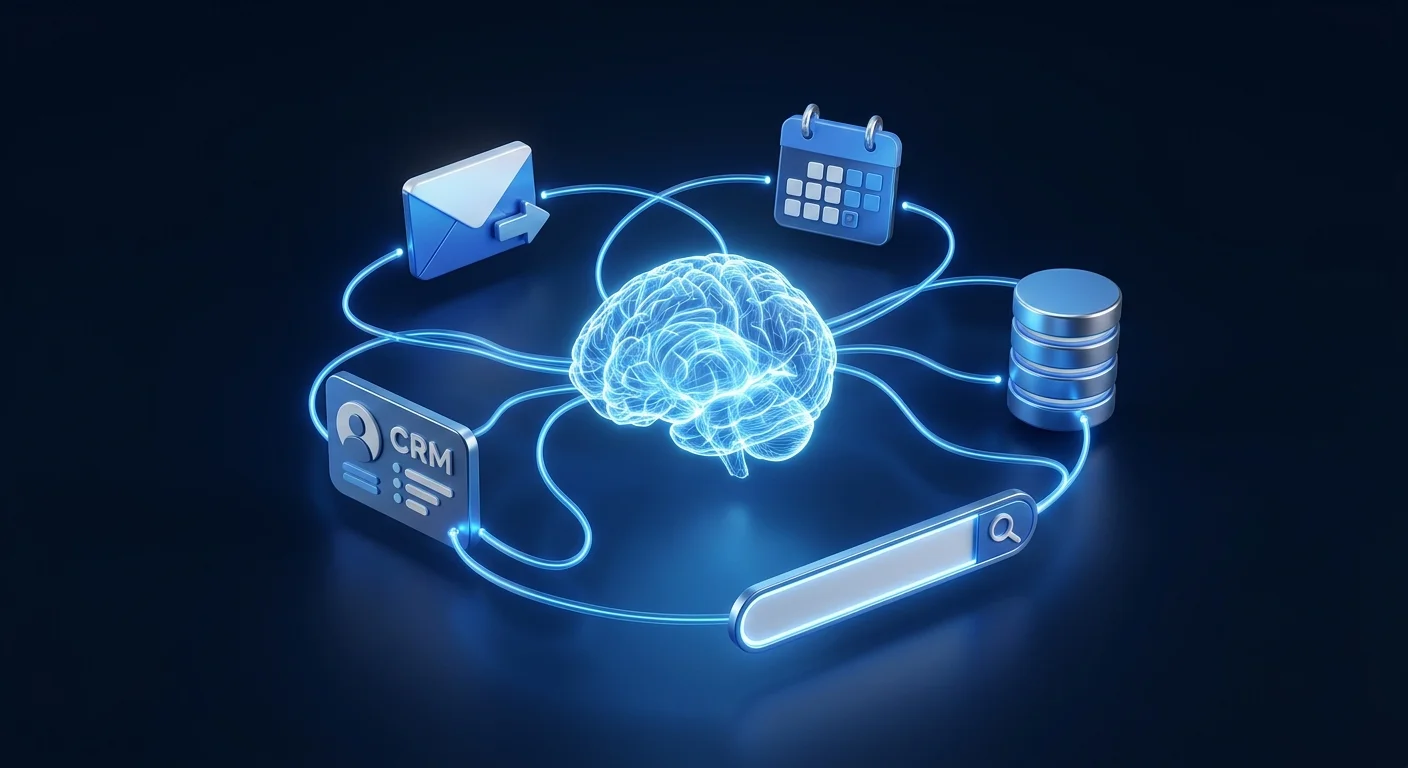
An AI agent is a program that uses an AI model as its brain, gives it a set of tools it can use (search, send email, update a database, call an API), and lets it work through a task step by step — deciding what to do next, doing it, checking the result, and continuing — until the task is done.
A chatbot responds. An agent acts.
What's covered
Chatbots vs AI agents — the real difference
ChatGPT, Claude, Gemini — these are large language models (LLMs). They're excellent at reading text and generating text. You send a message, they reply. That's the entire loop. They don't remember what happened before the conversation, they can't look anything up unless you paste it in, and they stop as soon as they send a response.
An AI agent uses the same underlying model but adds three things: memory, tools, and a continuous loop.
The practical distinction: ChatGPT can tell you how you should respond to a customer complaint. An AI agent can read the complaint, check the order status, decide whether to refund or escalate, draft the response, send it, and update the CRM — without you being involved.
How AI agents work: the perceive–decide–act loop
An AI agent works through a loop that repeats until the task is complete or a human checkpoint is reached. Each cycle has four steps:
Perceive
The agent receives input. This could be a new email, a webhook from a form submission, a scheduled trigger, a message from a user, or the result of a previous action. Whatever triggered the agent's current cycle.
Decide
The input goes to the AI model (GPT-4o, Claude, etc.) along with the agent's instructions and a list of available tools. The model decides: which tool to use next, what parameters to pass, and whether the task is complete. This is the "intelligence" step — where the model reads context and makes a judgement call.
Act
The agent executes the tool the model selected: sends an email, queries a database, searches the web, creates a calendar event, posts a Slack message, runs a calculation, or calls an external API. The action happens in the real world.
Observe and repeat
The result of the action goes back to the model. Did the email send? What did the database return? Was the search result useful? The model processes the result, decides the next step, and the loop repeats — until the task is marked done, an error occurs, or a human-in-the-loop checkpoint is hit.
Real business examples, not toy demos
The examples that get shared most often (AI agent that books a restaurant, AI agent that plays chess) are useful for understanding the concept but don't reflect what small businesses actually build. Here's what's running in production in 2026:
📧 Email triage and response agent
Reads incoming support emails, classifies them (refund / shipping question / technical issue / billing / compliment), routes them to the right team member or queue, auto-replies to simple queries with accurate information, and drafts replies to complex ones for human review. Handles 60–80% of support volume with zero human input.
🔍 Lead qualification agent
When a new lead submits a form, the agent researches their company (search the web, check LinkedIn), scores the lead based on company size and fit criteria, drafts a personalized first outreach email, and either sends it automatically (for high-score leads) or queues it for review (for ambiguous cases). Saves 2–3 hours of manual research per day for sales teams.
📊 Competitive monitoring agent
Runs daily. Checks competitor websites and social profiles for new content, pricing changes, or product announcements. Summarizes changes into a one-paragraph Slack message. Flags anything that warrants a response. Replaces a manual 45-minute daily review process.
💰 Invoice and payment agent
Monitors QuickBooks for overdue invoices. Cross-references them with email to check if any payment was promised but not received. Sends the appropriate follow-up in the right tone (polite day 3, firmer day 10, final day 21). Updates the invoice record with follow-up timestamps. Escalates to the owner at Day 21.
📝 Content repurposing agent
Takes a new blog post (passed as a URL or text), rewrites it as a LinkedIn post, a Twitter/X thread (5 tweets), and a 150-word email newsletter excerpt. Saves all three to a Google Sheet content calendar. Tags them as "ready for review." Saves 45–90 minutes of manual repurposing per article.
Build Your First AI Agent Without Coding
LearnForge's AI Apps course walks you through building production-ready AI agents in n8n — from zero, no coding required. Module 0 is completely free.
Start Free Module →What "tools" actually means
"Tools" is the technical term for the actions an AI agent can take. Each tool is a capability the model can choose to invoke. A tool might be: send_email(to, subject, body), or query_database(sql), or search_web(query). The model doesn't execute these directly — it decides to use them, and the underlying system executes the actual action.
In n8n's AI Agent node, tools are connected n8n nodes. You add a "Gmail: Send Email" node as a tool, and the agent can now send emails when it decides to. You add a "Google Sheets: Read Row" node, and the agent can now look up data. The list of tools you connect defines the agent's capabilities — it can only do what you've explicitly wired in.
Common tools for business agents: web search, email read/send, calendar read/create, CRM create/update, Slack message, Google Sheets read/write, Notion page create, Shopify order lookup, Stripe payment query, database query, HTTP request (any API), code execution, and other sub-agents.
Which AI models power agents
Any AI model with "tool use" or "function calling" capability can power an agent. In 2026, the most-used options for business workflows:
For most small business agents (email triage, lead qualification, report generation), GPT-4o Mini or Claude 3.5 Haiku are the practical choice. The cost difference between them and the premium models is 10–20x — and for 80% of tasks, the output quality is indistinguishable.
How to build an AI agent without coding
Before n8n had an AI Agent node, building an agent required writing Python code using LangChain or a similar framework. That changed in 2024. n8n's visual canvas lets you wire an AI Agent node to tools graphically — no code required for the most common business agents.
The structure of an n8n AI agent workflow:
The AI Agent node takes three inputs: the AI model (connected via credential), the tools it can use (other n8n nodes wired in), and a system prompt (text you write describing the agent's role, rules, and how it should handle different situations). You don't write any code — you configure nodes and write a prompt.
The system prompt is the most important part. A vague prompt ("help with emails") produces inconsistent results. A specific prompt ("you are the support agent for [company]. When you receive a refund request, first check the order date in Shopify. If the order is less than 30 days old, approve the refund. If over 30 days, offer store credit. Always address the customer by first name.") produces reliable, production-grade behaviour.
LearnForge's AI Apps course covers the full build: trigger setup, AI Agent node configuration, tool wiring, system prompt writing, error handling, and testing in production conditions.
FAQ
Related Articles
n8n + Claude: Build an AI Agent That Reads and Responds to Emails
Step-by-step guide to wiring Claude into n8n and building a real email agent.
n8n for Small Business: 8 Automations to Set Up This Week
Practical n8n workflows that save 10–20 hours per week for any small business.
n8n for Beginners: 7 Things to Know Before Starting
The n8n fundamentals every beginner needs before building their first workflow.
Ready to Build Your First AI Agent?
LearnForge's AI Apps course teaches you to build n8n AI agents from scratch — no coding background needed. Start with Module 0, free, and have your first agent running in under 2 hours.
Start Free Module →