Python Automation vs RPA: UiPath & Automation Anywhere Compared (2026)
Your team needs to automate a business process. Someone says "let's get UiPath." Someone else says "we can do this in Python." Both are right — for different situations. Here's an honest, no-vendor-bias breakdown of when each approach wins, and when it doesn't.
The Short Answer
The most important fact in this comparison: Python automation costs nothing in licensing. Enterprise RPA tools cost $3,000–$8,000 per bot per year. That single difference shapes almost every decision for small and mid-size companies.
🤖 What Is RPA?
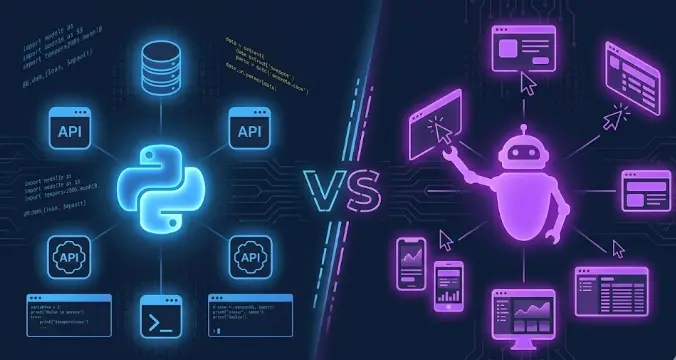
Robotic Process Automation (RPA) refers to software tools that automate tasks by mimicking human interactions with a user interface. An RPA bot moves a mouse, clicks buttons, reads screen text, and fills forms — exactly as a human would, but automatically and at scale. The two dominant enterprise platforms are UiPath and Automation Anywhere.
The key insight about RPA: it operates on the presentation layer. It doesn't connect to a database or call an API — it interacts with whatever is visible on screen. This is both its greatest strength (works with any system, even ones from 1995) and its biggest weakness (fragile when the UI changes).
RPA Tools (UiPath, Automation Anywhere, Blue Prism)
RPA platforms provide a visual drag-and-drop environment to design automation workflows. A bot "sees" the screen using computer vision and image recognition, identifies UI elements, interacts with them, and passes data between systems. No API access required. Works with legacy SAP, AS/400, desktop applications, and web browsers alike.
- Works on any system with a UI
- No API or database access needed
- Visual workflow — non-developers can build
- Built-in logging, monitoring, scheduling
- Enterprise support & SLAs
- Proven for compliance-heavy industries
- Very expensive licensing ($3K–$8K per bot/yr)
- Brittle — breaks when UI changes
- Slow (simulates human speed)
- Hard to test and version-control
- Vendor lock-in
- Complex for custom data logic
🐍 What Is Python Automation?
Python automation means writing scripts that interact with systems at the data level — directly calling APIs, reading/writing files, querying databases, sending emails via SMTP, and processing data. There is no UI simulation involved. The script talks directly to the system through its intended programmatic interface.
This distinction matters enormously for reliability. A Python script that calls a REST API will work as long as the API exists. An RPA bot scraping the same data from a web page may break the moment a developer moves a button or renames a CSS class.
Python Automation
Python scripts automate tasks by connecting directly to APIs, databases, file systems, and services. Libraries like requests, pandas, smtplib, Playwright, and boto3 cover virtually every automation scenario. Python is free, runs on any server, and scales to millions of operations with no per-task or per-bot licensing cost.
- Free and open-source
- Unlimited flexibility — any logic possible
- Stable — APIs don't break like UIs do
- Fast execution — no UI simulation overhead
- Full version control with Git
- Best-in-class data processing (pandas)
- Requires coding skills
- Harder for non-technical staff to build
- Cannot access systems with no API
- No built-in visual workflow designer
- Requires infrastructure to schedule/monitor
- No enterprise vendor SLA
📊 Side-by-Side Comparison
A direct comparison across the dimensions that matter most when choosing between Python and an enterprise RPA platform.
| Dimension | 🐍 Python | 🤖 UiPath / AA | Winner |
|---|---|---|---|
| License cost | Free (open-source) | $3,000–$8,000+ per bot/year | 🐍 Python |
| Setup time | Hours to days for simple scripts | Days to weeks (install, configure, design) | 🐍 Python |
| Coding required | Yes — Python knowledge needed | Minimal — visual drag-and-drop | 🤖 RPA |
| Legacy desktop apps | Difficult (no API = no access) | Excellent — built for this | 🤖 RPA |
| Web automation | Excellent (Playwright, requests) | Good but slow and brittle | 🐍 Python |
| API integration | Excellent (requests, httpx) | Supported but limited | 🐍 Python |
| Data processing | Excellent (pandas, polars) | Very limited | 🐍 Python |
| Reliability | High — API-based, not UI-dependent | Medium — breaks when UI changes | 🐍 Python |
| Execution speed | Fast — direct system calls | Slow — simulates human speed | 🐍 Python |
| Scalability | Unlimited — run on any server | Limited by bot licenses & VMs | 🐍 Python |
| Version control | Full Git support | Limited — workflows are XML/proprietary | 🐍 Python |
| Testing | Excellent (pytest, CI/CD) | Difficult — UI-dependent | 🐍 Python |
| AI/ML integration | Native (Python is the AI language) | Available via connectors | 🐍 Python |
| Non-dev team build | No — requires coding | Yes — citizen developer model | 🤖 RPA |
| Enterprise support | Community + paid consultants | Vendor SLA, dedicated support | Tie |
| Vendor lock-in | None | High — proprietary format | 🐍 Python |
RPA wins in 3 of 16 dimensions: coding barrier, legacy desktop UI access, and citizen-developer model. Python wins 12 of 16.
💰 True Cost Comparison
Licensing is just one component of cost. Here is a realistic total cost of ownership comparison for a mid-size company automating 10 business processes.
Both UiPath and Automation Anywhere offer free community editions for learning and small-scale use. Enterprise pricing is negotiated per deal and varies significantly. The figures above represent realistic mid-market pricing. Large enterprises often negotiate volume discounts. However, the structural cost difference — Python being free vs. per-bot licensing — remains significant at any scale.
🔵 UiPath vs Python: Key Differences
UiPath is the market leader in enterprise RPA with the largest community and most integrations. Here's how it specifically compares to Python automation:
UiPath's drag-and-drop activities cover hundreds of pre-built actions (click, type, read PDF, query database, call API) that non-developers can assemble visually. Building a workflow that logs into an SAP system, extracts invoice data, and pastes it into Excel takes a business analyst 2 days in UiPath. The equivalent Python script would require a developer and 3–5 days — but would be faster, more stable, and free to run forever.
UiPath Orchestrator is a central dashboard for scheduling, monitoring, and managing bots across multiple machines. Python achieves the same with cron jobs (Linux), Task Scheduler (Windows), or workflow tools like Airflow and Prefect — but these require more setup. Orchestrator is genuinely more polished for enterprise operations teams without technical staff.
UiPath has a Python activity that lets you run Python scripts from within a UiPath workflow. This is increasingly how enterprises use both: RPA handles the UI interactions (SAP login, screen navigation), and Python handles the complex data logic (cleaning, calculation, Excel generation). This hybrid approach is often the most practical outcome in large organizations.
🟣 Automation Anywhere vs Python: Key Differences
Automation Anywhere (AA) competes directly with UiPath, with a stronger focus on cloud-native deployments and AI Document Processing. Here's how it differs from Python:
Automation Anywhere's IQ Bot uses AI to extract data from unstructured documents — scanned PDFs, handwritten forms, invoice images. For this specific use case, it is genuinely powerful and requires no custom AI development. Python can do the same with libraries like PyMuPDF, pdfplumber, and an LLM API, but building a comparable pipeline from scratch takes significantly more time. IQ Bot is a legitimate advantage for document-heavy workflows.
Automation Anywhere's A2019+ platform is cloud-native, running bots in the cloud without on-premises infrastructure. For companies already on AWS or Azure, this reduces infrastructure overhead. Python achieves the same on any cloud VM or serverless function (AWS Lambda, Google Cloud Functions) — at a fraction of the cost, but with more setup required.
Like UiPath, Automation Anywhere allows embedding Python scripts within bot workflows via its Python package integration. The practical pattern is the same: AA handles legacy UI navigation, Python handles data logic. If you're evaluating AA and have developers on staff, plan to use Python for any complex calculations, data transformation, or ML components.
🗂️ 8 Real Scenarios: Which Tool to Choose
Concrete situations to guide the decision. Each scenario specifies whether Python, RPA, or a hybrid approach is the right call.
Scenario 1: Daily sales report from CRM API to Excel
Your CRM (Salesforce, HubSpot, Pipedrive) has a REST API. You need daily data pulled, cleaned, and formatted into an Excel report emailed to management. Python with requests, pandas, openpyxl, and smtplib solves this in ~200 lines. Faster, more stable, and free. No reason to use RPA here.
Scenario 2: Data entry into legacy SAP GUI with no API
Your company runs a 20-year-old SAP system accessible only through a proprietary desktop client. No API, no database export. Employees copy data from an Excel sheet into SAP screens manually, 200 rows per day. RPA was literally invented for this scenario — it's the clearest RPA use case. Python cannot access a system with no API or file interface.
Scenario 3: Web scraping competitor prices daily
You need to scrape 500 product prices from a competitor's website every morning, compare to your own prices, and flag gaps. Python with requests + BeautifulSoup or Playwright handles this in ~100 lines. RPA could technically do this but would be 5x slower, fragile, and expensive. Use Python.
Scenario 4: SAP data extraction + complex Excel report
You need to navigate SAP screens (RPA's strength), extract raw data tables, then apply business logic, calculate KPIs, and generate formatted Excel reports (Python's strength). Use UiPath or AA to handle SAP navigation, pass the data to a Python script for processing. This is the most common pattern in large enterprises — both tools doing what they do best.
Scenario 5: Processing 50,000 PDF invoices per month
You receive PDF invoices from suppliers and need to extract amounts, dates, and vendor names to load into your accounting system. Python with pdfplumber or an LLM API (for unstructured PDFs) processes 50,000 PDFs on a small server in hours, at essentially zero marginal cost. RPA's IQ Bot could handle this too — but at $0.02–$0.10 per page, that's $1,000–$5,000/month vs. nearly free with Python.
Scenario 6: Automating a third-party portal with no API
Your industry regulator requires monthly reports submitted through a government web portal with no API. The form has 40 fields, CAPTCHA, and session timeouts. Your team fills it manually every month. RPA — specifically attended automation where the bot works alongside a human — is better suited here than Python. Browser automation with Playwright could work for static portals, but RPA's error handling for complex multi-page forms is more mature.
Scenario 7: Automated test suite for your web application
Your dev team wants automated end-to-end tests for your web app — login flow, checkout, form submissions, error states. Python with Playwright + pytest + GitHub Actions is the industry standard for this. RPA tools are not designed for software testing and would be significantly more expensive and harder to maintain in a CI/CD pipeline.
Scenario 8: Small team, no developers, needs automation now
You have a 10-person operations team, no developers, and need 5 processes automated in the next month. Short term: RPA's community edition or a managed service is faster to deploy without hiring. Medium term: invest in one Python developer who can build maintainable, free-to-run scripts and own your automation internally. The break-even on hiring a developer vs. paying RPA licensing is often under 12 months.
🤝 Using Python Inside RPA Workflows
The Python vs. RPA debate is sometimes a false choice. Many enterprise teams run both — RPA handles the legacy UI interactions that have no API, and Python handles everything else. Both UiPath and Automation Anywhere support calling Python scripts natively.
The most common hybrid pattern: the RPA bot navigates legacy systems to extract raw data (copying SAP table to CSV), then invokes a Python script to clean, transform, calculate, and generate outputs. Each tool does what it's genuinely best at.
When legacy system access isn't needed, Python handles the entire workflow. Audit your automations: how many actually require UI interaction with a system that has no API? In most companies, that's 20–30% of processes. The rest can run pure Python.
If you're an individual or small business: start with Python. It's free, flexible, and you'll be able to automate 80–90% of your processes without paying licensing fees. If you're in a mid-to-large enterprise with legacy systems and a non-technical operations team: evaluate RPA for the legacy-UI-specific processes, and use Python for everything else. The mistake to avoid is buying enterprise RPA for processes that have APIs — that's paying $40K/year for something Python could do for free.
Learn Python Automation — The Flexible, Free Alternative
Our course teaches Python automation from scratch — file management, web scraping, APIs, browser automation, and testing. Build the skills to automate without expensive licensing.
Try a Free Lesson →Frequently Asked Questions
What is the difference between Python automation and RPA?
Python automation interacts with systems at the data level — via APIs, file systems, and databases. RPA tools like UiPath and Automation Anywhere interact at the UI level — clicking buttons and reading screens, just like a human would. Python is more flexible, scalable, and free. RPA is faster to deploy when systems have no API and the team has no developers.
Is Python better than UiPath for automation?
Python is better than UiPath for most technical automation: it's free, faster, more stable, easier to test and version-control. UiPath is better when you need to automate legacy desktop applications with no API, when the person building the automation is a business analyst not a developer, or when you need enterprise vendor support. Many enterprises use both together — UiPath for UI-dependent legacy workflows, Python for data processing and API integration.
How much does UiPath cost compared to Python?
UiPath Enterprise licensing starts at $3,000–$8,000 per bot per year, plus Orchestrator and infrastructure costs. A 10-bot deployment can cost $50,000–$100,000+ per year in licensing. Python is free — the only costs are developer time and server hosting (typically $50–100/month). For most small and mid-size companies, this cost difference makes Python the clear economic choice for API-accessible systems.
Can Python replace RPA tools?
Python can replace RPA for the majority of automation scenarios — APIs, databases, file processing, web scraping, email, reporting, and web-based UI automation with Playwright. Python cannot easily replace RPA for automating legacy desktop applications (SAP thick clients, AS/400 terminals) with no API. Audit your processes: if less than 30% require legacy desktop UI interaction, Python alone may cover everything you need.
Related Articles
Python vs Excel vs No-Code Automation
Honest breakdown: costs, scalability, and real use cases for each tool.
Python Automation Tools & Libraries You Must Know in 2026
Complete guide to the Python ecosystem for automation.
Why Python Is the #1 Language for Business Automation
Data-driven analysis vs JavaScript, Go, Java, and C#.