Python Automation Tools & Libraries You Must Know in 2026
The complete guide to Python automation tools, libraries, and frameworks. Compare Selenium vs Playwright, learn Pandas for data automation, master Pytest for testing, and discover the full Python automation toolkit with practical code examples.
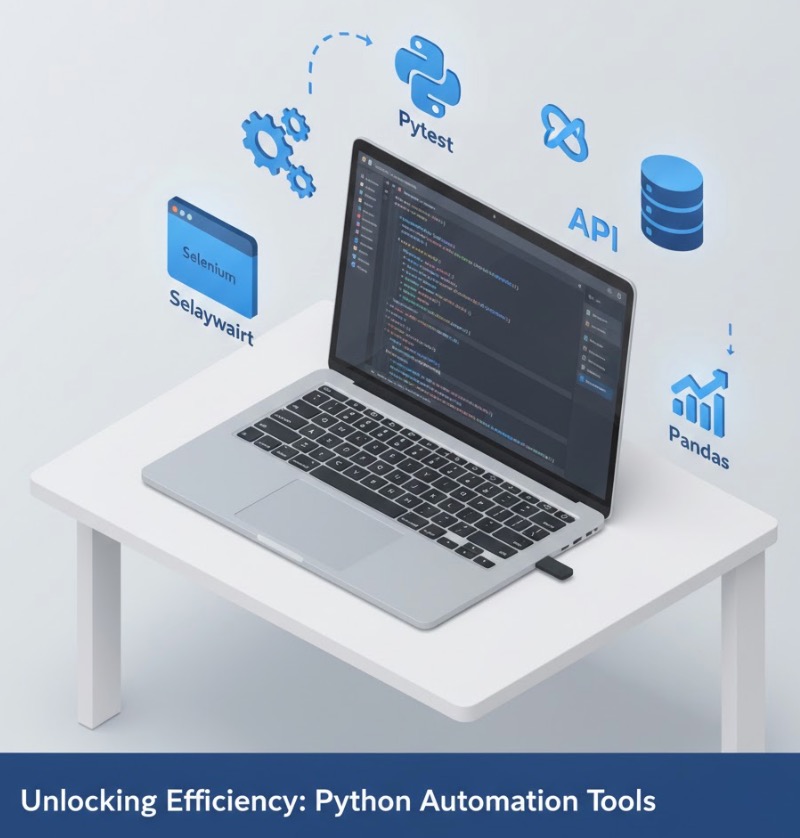
Python Automation Tools Overview
Python has become the dominant language for automation thanks to its extensive ecosystem of python automation tools and libraries. Whether you're automating web browsers, processing data, testing applications, or building workflow automation—there's a specialized python library for automation that makes the job straightforward.
In 2026, the automation libraries python ecosystem has matured significantly. Modern tools like Playwright offer alternatives to established options like Selenium, while data automation with Pandas continues to dominate business workflows. This guide covers the complete python automation toolkit you need to know.
💡 New to Python automation? Check our complete Python Automation Guide for beginners before diving into specific tools.
Web Automation: Selenium vs Playwright
Web automation is one of the most common use cases for python automation tools. Two major libraries dominate this space: the established python tool Selenium and the modern Playwright.
🌐 Selenium WebDriver
Selenium is the industry-standard python automation framework for web browser automation. It supports Chrome, Firefox, Safari, Edge, and more. Selenium is perfect for automated testing, web scraping of dynamic content, and browser-based workflow automation.
Best for: Cross-browser testing, legacy system automation, large existing codebases
# Selenium Python Example
from selenium import webdriver
from selenium.webdriver.common.by import By
from selenium.webdriver.support.ui import WebDriverWait
from selenium.webdriver.support import expected_conditions as EC

# Initialize Chrome browser
driver = webdriver.Chrome()
driver.get("https://example.com")

# Wait for element and click
button = WebDriverWait(driver, 10).until(
    EC.element_to_be_clickable((By.ID, "submit-btn"))
)
button.click()

# Extract data
title = driver.find_element(By.TAG_NAME, "h1").text
print(f"Page title: {title}")

driver.quit()
Installation: pip install selenium webdriver-manager
🎭 Playwright
Playwright is Microsoft's modern alternative to Selenium. It offers built-in auto-waiting, faster execution, and easier setup. In 2026, Playwright has become a top choice for new python automation projects due to its reliability and developer experience.
Best for: New projects, modern web apps, parallel testing, CI/CD pipelines
# Playwright Python Example
from playwright.sync_api import sync_playwright

with sync_playwright() as p:
    # Launch browser (auto-downloads if needed)
    browser = p.chromium.launch(headless=False)
    page = browser.new_page()

    # Navigate and interact (auto-waits built-in)
    page.goto("https://example.com")
    page.click("#submit-btn")

    # Extract data
    title = page.locator("h1").text_content()
    print(f"Page title: {title}")

    # Screenshot
    page.screenshot(path="screenshot.png")

    browser.close()
Installation: pip install playwright && playwright install
Selenium vs Playwright: Quick Comparison
- Setup: Playwright is easier (auto-installs browsers)
- Speed: Playwright is generally faster
- Auto-waiting: Playwright has built-in, Selenium requires explicit waits
- Community: Selenium has larger ecosystem and more resources
- Browser support: Both support major browsers, Selenium supports more
Data Automation: Pandas & Excel Tools
Data processing is where python libraries automation truly shines. The python library pandas combined with Excel tools form the backbone of data automation workflows worldwide.
📊 Pandas
Pandas is the most important python library for automation involving data. It handles CSV, Excel, JSON, SQL databases, and more. Every data automation workflow in Python starts with Pandas.
Best for: Data cleaning, report generation, ETL processes, spreadsheet automation
# Pandas Data Automation Example
import pandas as pd
from datetime import datetime

# Read multiple data sources
sales_df = pd.read_excel("sales_data.xlsx")
customers_df = pd.read_csv("customers.csv")

# Clean and transform data
sales_df['date'] = pd.to_datetime(sales_df['date'])
sales_df = sales_df.dropna(subset=['amount'])

# Merge datasets
merged = pd.merge(sales_df, customers_df, on='customer_id')

# Generate summary report
summary = merged.groupby('region').agg({
    'amount': ['sum', 'mean', 'count'],
    'customer_id': 'nunique'
}).round(2)

# Export automated report
timestamp = datetime.now().strftime('%Y-%m-%d')
summary.to_excel(f'weekly_report_{timestamp}.xlsx')
print(f"Report generated: weekly_report_{timestamp}.xlsx")
Installation: pip install pandas openpyxl xlrd
📗 Openpyxl
Openpyxl provides low-level Excel file manipulation. Use it when you need to format cells, create charts, work with formulas, or manipulate Excel files beyond what Pandas offers.
# Openpyxl Formatting Example
from openpyxl import Workbook
from openpyxl.styles import Font, PatternFill, Alignment
from openpyxl.chart import BarChart, Reference

wb = Workbook()
ws = wb.active

# Add styled header
ws['A1'] = 'Sales Report'
ws['A1'].font = Font(bold=True, size=14)
ws['A1'].fill = PatternFill(start_color='3B82F6', fill_type='solid')

# Add data and create chart
data = [['Product', 'Sales'], ['Widget A', 150], ['Widget B', 200]]
for row in data:
    ws.append(row)

chart = BarChart()
chart.add_data(Reference(ws, min_col=2, min_row=2, max_row=4))
ws.add_chart(chart, 'D2')

wb.save('formatted_report.xlsx')
Testing Frameworks: Pytest & Robot Framework
Python automation with pytest has become the standard for test automation. These python automation frameworks provide structure for automated testing at every level.
🧪 Pytest
Pytest is the most popular python automation framework for testing. It offers simple syntax, powerful fixtures, parametrization, and an extensive plugin ecosystem. Most Python projects use Pytest for unit, integration, and end-to-end testing.
Best for: Unit testing, API testing, integration testing, CI/CD pipelines
# Pytest Automation Example
import pytest
import requests

# Test fixture for API base URL
@pytest.fixture
def api_base():
    return "https://api.example.com"

# Parametrized test - runs multiple times with different data
@pytest.mark.parametrize("endpoint,expected_status", [
    ("/users", 200),
    ("/products", 200),
    ("/invalid", 404),
])
def test_api_endpoints(api_base, endpoint, expected_status):
    response = requests.get(f"{api_base}{endpoint}")
    assert response.status_code == expected_status

# Test with setup and teardown
class TestUserWorkflow:
    @pytest.fixture(autouse=True)
    def setup(self, api_base):
        self.api = api_base
        self.user_id = None

    def test_create_user(self):
        response = requests.post(f"{self.api}/users", json={"name": "Test"})
        assert response.status_code == 201
        self.user_id = response.json()['id']

    def test_get_user(self):
        response = requests.get(f"{self.api}/users/1")
        assert 'name' in response.json()
Installation: pip install pytest pytest-html pytest-xdist
🤖 Robot Framework
Robot Framework is a keyword-driven python automation framework popular for acceptance testing and RPA (Robotic Process Automation). Its readable syntax makes tests accessible to non-programmers.
Best for: Acceptance testing, RPA, BDD-style tests, team collaboration
*** Settings ***
Library    SeleniumLibrary
Library    RequestsLibrary

*** Test Cases ***
User Can Login Successfully
    Open Browser    https://example.com    chrome
    Input Text    id:username    testuser
    Input Text    id:password    secret123
    Click Button    id:login-btn
    Page Should Contain    Welcome, testuser
    Close Browser

API Returns Valid Response
    Create Session    api    https://api.example.com
    ${response}=    GET On Session    api    /status
    Should Be Equal As Numbers    ${response.status_code}    200
Installation: pip install robotframework robotframework-seleniumlibrary
GUI Automation: PyAutoGUI
🖱️ PyAutoGUI
PyAutoGUI is an essential python automation module for desktop GUI automation. It controls mouse movements, clicks, keyboard input, and can locate elements on screen using image recognition. Perfect for automating desktop applications without APIs.
Best for: Desktop app automation, legacy software, GUI testing, repetitive clicking tasks
# PyAutoGUI Desktop Automation Example
import pyautogui
import time

# Safety feature - move mouse to corner to abort
pyautogui.FAILSAFE = True

# Get screen size
screen_width, screen_height = pyautogui.size()
print(f"Screen size: {screen_width}x{screen_height}")

# Move mouse and click
pyautogui.moveTo(100, 200, duration=0.5)
pyautogui.click()

# Double-click to open application
pyautogui.doubleClick(500, 300)

# Type text with realistic speed
pyautogui.typewrite('Hello World', interval=0.05)

# Keyboard shortcuts
pyautogui.hotkey('ctrl', 's')  # Save
pyautogui.hotkey('ctrl', 'c')  # Copy

# Find and click on image (button screenshot)
button_location = pyautogui.locateOnScreen('submit_button.png')
if button_location:
    pyautogui.click(button_location)
else:
    print("Button not found on screen")

# Screenshot automation
screenshot = pyautogui.screenshot('screen_capture.png')
Installation: pip install pyautogui pillow
API & HTTP: Requests & HTTPX
API automation is fundamental to modern python automation workflow tools. These libraries handle HTTP requests for integrating with web services, REST APIs, and microservices.
🔄 Requests
Requests is the most popular HTTP library in Python and a core python automation module. It simplifies API calls, file downloads, and web service interactions with an elegant, human-friendly API.
# Requests API Automation Example
import requests
import json

# API configuration
BASE_URL = "https://api.example.com"
API_KEY = "your_api_key_here"  # Use environment variables in production

headers = {
    "Authorization": f"Bearer {API_KEY}",
    "Content-Type": "application/json"
}

# GET request with parameters
response = requests.get(
    f"{BASE_URL}/users",
    headers=headers,
    params={"page": 1, "limit": 10}
)
users = response.json()

# POST request with JSON body
new_user = {"name": "John Doe", "email": "john@example.com"}
response = requests.post(
    f"{BASE_URL}/users",
    headers=headers,
    json=new_user
)

if response.status_code == 201:
    print(f"User created: {response.json()['id']}")
else:
    print(f"Error: {response.status_code}")

# Download file
file_response = requests.get(f"{BASE_URL}/reports/monthly.pdf")
with open("monthly_report.pdf", "wb") as f:
    f.write(file_response.content)
Installation: pip install requests
⚡ HTTPX
HTTPX is a modern alternative to Requests that supports async operations. For high-volume API automation in 2026, HTTPX offers better performance through concurrent requests.
# HTTPX Async API Automation
import httpx
import asyncio

async def fetch_all_users():
    async with httpx.AsyncClient() as client:
        # Concurrent requests - much faster than sequential
        tasks = [
            client.get(f"https://api.example.com/users/{i}")
            for i in range(1, 101)
        ]
        responses = await asyncio.gather(*tasks)
        return [r.json() for r in responses if r.status_code == 200]

# Run async automation
users = asyncio.run(fetch_all_users())
print(f"Fetched {len(users)} users concurrently")
Installation: pip install httpx
Web Scraping: BeautifulSoup & Scrapy
🍲 BeautifulSoup
BeautifulSoup is the go-to python library for automation tasks involving HTML parsing. Combined with Requests, it forms a powerful web scraping toolkit for extracting data from static websites.
# BeautifulSoup Web Scraping Example
import requests
from bs4 import BeautifulSoup
import pandas as pd

def scrape_product_data(url):
    headers = {'User-Agent': 'Mozilla/5.0'}
    response = requests.get(url, headers=headers)
    soup = BeautifulSoup(response.content, 'html.parser')

    products = []
    for item in soup.find_all('div', class_='product-card'):
        product = {
            'name': item.find('h2').text.strip(),
            'price': item.find('span', class_='price').text.strip(),
            'rating': item.find('div', class_='rating').get('data-rating'),
            'url': item.find('a')['href']
        }
        products.append(product)

    return pd.DataFrame(products)

# Scrape and save
df = scrape_product_data("https://example-store.com/products")
df.to_csv("products_data.csv", index=False)
print(f"Scraped {len(df)} products")
Installation: pip install beautifulsoup4 lxml
🕷️ Scrapy
Scrapy is a complete python automation framework for large-scale web scraping. It handles concurrent requests, data pipelines, and exports out of the box. Use Scrapy for complex scraping projects requiring multiple pages, authentication, or scheduled runs.
Best for: Large-scale scraping, crawling multiple pages, production scraping pipelines
Installation: pip install scrapy
Task Scheduling Tools
Automation isn't complete without scheduling. These python automation modules let you run scripts at specific times or intervals.
⏰ Schedule
Schedule is the simplest python automation tool for running tasks at intervals. Its human-readable syntax makes scheduling intuitive.
# Schedule Task Automation Example
import schedule
import time

def generate_daily_report():
    print("Generating daily report...")
    # Your automation code here

def check_emails():
    print("Checking emails...")
    # Email automation code

def backup_database():
    print("Backing up database...")
    # Backup automation code

# Schedule tasks with readable syntax
schedule.every().day.at("09:00").do(generate_daily_report)
schedule.every(30).minutes.do(check_emails)
schedule.every().sunday.at("02:00").do(backup_database)

# Run scheduler
print("Automation scheduler started...")
while True:
    schedule.run_pending()
    time.sleep(60)
Installation: pip install schedule
💡 Pro tip: For production automation, consider using system-level schedulers like cron (Linux/Mac) or Task Scheduler (Windows) combined with Python scripts. For complex workflows, look into Apache Airflow or Celery.
Complete Python Automation Tools Comparison
Use this python automation tools list to quickly compare python automation tools and choose the right one for your needs:
| Tool | Category | Best For | Difficulty | 2026 Status |
|---|---|---|---|---|
| Selenium | Web Automation | Browser testing, web scraping | Intermediate | ✅ Industry Standard |
| Playwright | Web Automation | Modern web apps, parallel tests | Beginner | 🚀 Rising Star |
| Pandas | Data Processing | Excel, CSV, data transformation | Beginner | ✅ Essential |
| Pytest | Testing | Unit tests, API tests, CI/CD | Beginner | ✅ Industry Standard |
| Robot Framework | Testing/RPA | Acceptance testing, RPA | Beginner | ✅ Enterprise Choice |
| PyAutoGUI | GUI Automation | Desktop apps, mouse/keyboard | Beginner | ✅ Best in Class |
| Requests | API/HTTP | REST APIs, downloads | Beginner | ✅ Essential |
| BeautifulSoup | Web Scraping | HTML parsing, data extraction | Beginner | ✅ Essential |
| Scrapy | Web Scraping | Large-scale scraping | Intermediate | ✅ Production Ready |
| Schedule | Task Scheduling | Simple scheduling | Beginner | ✅ Simple & Effective |
How to Choose the Right Python Automation Tool
With so many python automation tools available, choosing the right one depends on your specific use case:
🌐 For Web Browser Automation
Start with Playwright for new projects—it's easier to set up and more reliable. Use Selenium if you need broader browser support or have existing Selenium codebases.
📊 For Data & Excel Automation
Pandas is essential for any data work. Add openpyxl when you need Excel formatting, charts, or formulas beyond basic data manipulation.
🧪 For Test Automation
Pytest is the standard choice for developers. Use Robot Framework if non-programmers need to write or understand tests, or for RPA projects.
🖥️ For Desktop Application Automation
PyAutoGUI is your primary tool. For Windows-specific automation, consider adding pywinauto for better control over Windows UI elements.
🔄 For API & Integration Automation
Requests handles most API work perfectly. Switch to HTTPX when you need async operations or are making many concurrent API calls.
🎓 Learn All These Tools in Practice
Our Python Automation Course covers all major tools with hands-on projects. Learn Selenium, Pandas, API automation, and more with practical examples you can use immediately.
Start Free Lesson →Frequently Asked Questions
What are the best Python automation tools in 2026?
The best python automation tools in 2026 include Selenium and Playwright for web automation, Pandas for data processing, Pytest for testing, PyAutoGUI for desktop automation, and Requests for API interactions. The choice depends on your specific automation needs.
Which Python library is best for automation?
There's no single best python library for automation—it depends on your task. Selenium is best for web browser automation, Pandas for data manipulation, Pytest for testing automation, and PyAutoGUI for GUI automation. Most automation projects use multiple libraries together.
Is Selenium or Playwright better for Python automation?
Playwright is newer and offers built-in auto-waiting, better performance, and easier setup. Selenium has a larger community and broader browser support. For new projects in 2026, Playwright is often recommended, but Selenium remains excellent for existing codebases.
What Python automation framework should I learn first?
Start with Python's built-in libraries (os, shutil) for file automation, then learn Requests for API work, and Pandas for data. For testing, start with Pytest. This foundation covers most automation needs before moving to specialized tools like Selenium.
Can I use Python for test automation?
Yes, Python is excellent for test automation. Pytest is the most popular python automation framework for testing, offering simple syntax and powerful features. Combined with Selenium or Playwright for web testing, Python provides a complete test automation toolkit.
Ready to Master Python Automation Tools?
Learn all major Python automation tools with hands-on projects. From Selenium to Pandas to API automation—build real skills you can use immediately.
Try Free Lesson First